4 min readUpdated Oct 27, 2026
Build a multiplayer app in ChatGPT, with a database and live updates
Connect the omg apps plugin to ChatGPT, describe an app or a game, and get a live link with a database, sign-in and live updates between everyone who opens it.
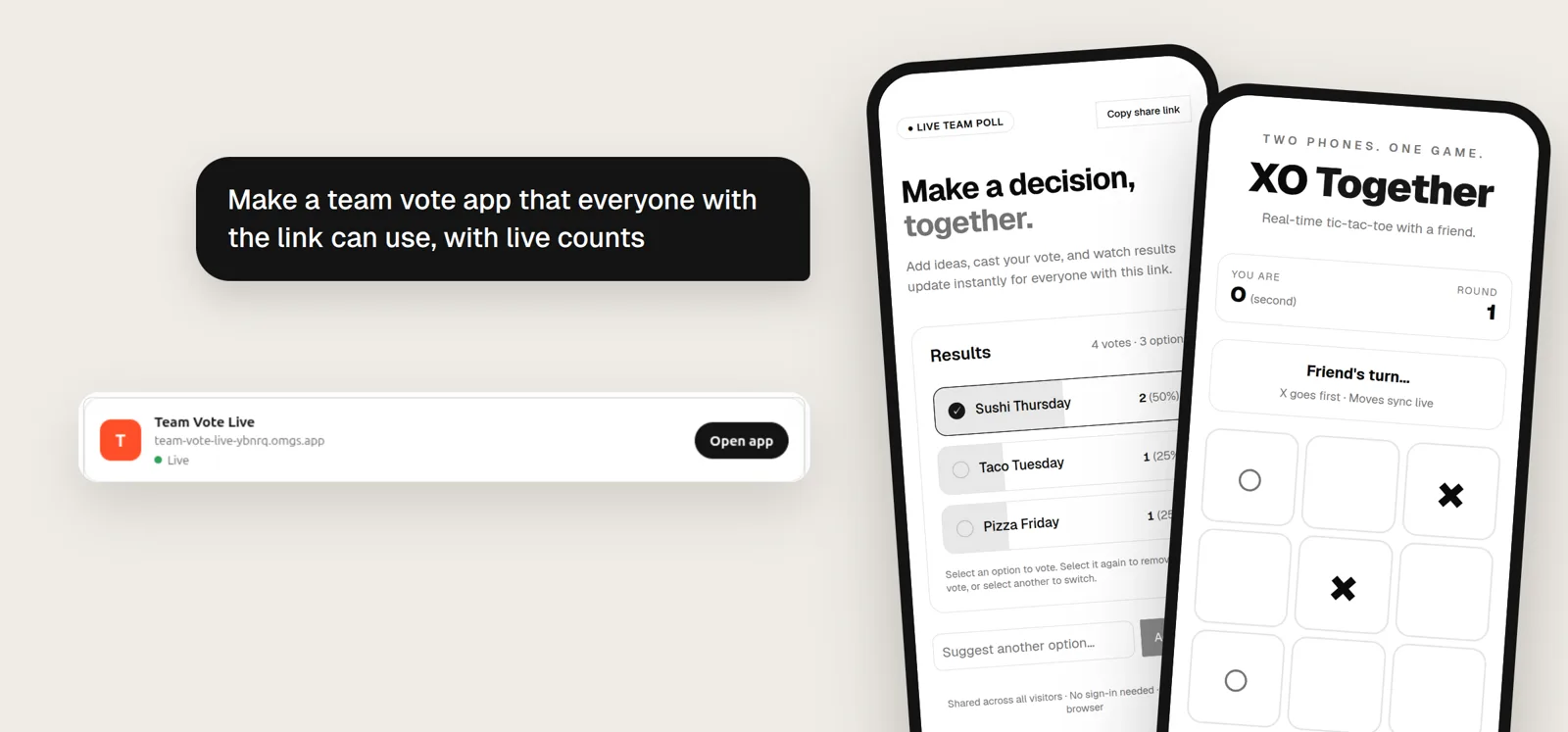
TL;DR
Add https://mcp.omg.dev/apps to ChatGPT as a custom MCP server. Then ask for
an app in plain words:
Make a team vote app that everyone with the link can use, with live counts
About a minute later ChatGPT shows a card with your app's link, such as
https://team-vote-live-ybnrq.omgs.app. Send the link to your team. Every
vote shows up on every screen at once.
Two phones on the same link. Each vote changes the counts on both screens, with no reload.
What you get
Each app runs at its own address on omgs.app and comes with:
- A database. Data is saved on the server and is still there tomorrow.
- Live updates. Every open browser sees each change at once, so votes, boards, chats and two-player games work from the first version.
- Sign-in. When an app needs private data, visitors sign in with an omg.dev account. You do not set up an auth provider.
- A share link. You choose whether anyone with the link can open the app, or only people signed in to omg.
Step 1: Add the plugin to ChatGPT
You do this once, on the web.
- Open ChatGPT Plugins.
- Select Add, then Add custom MCP server.
- Name it
omg apps. Under Connection, enterhttps://mcp.omg.dev/apps. Keep OAuth. - Select I understand and want to continue, then Create as a plugin.
- Select Connect omg apps, sign in to omg.dev, and select Allow.
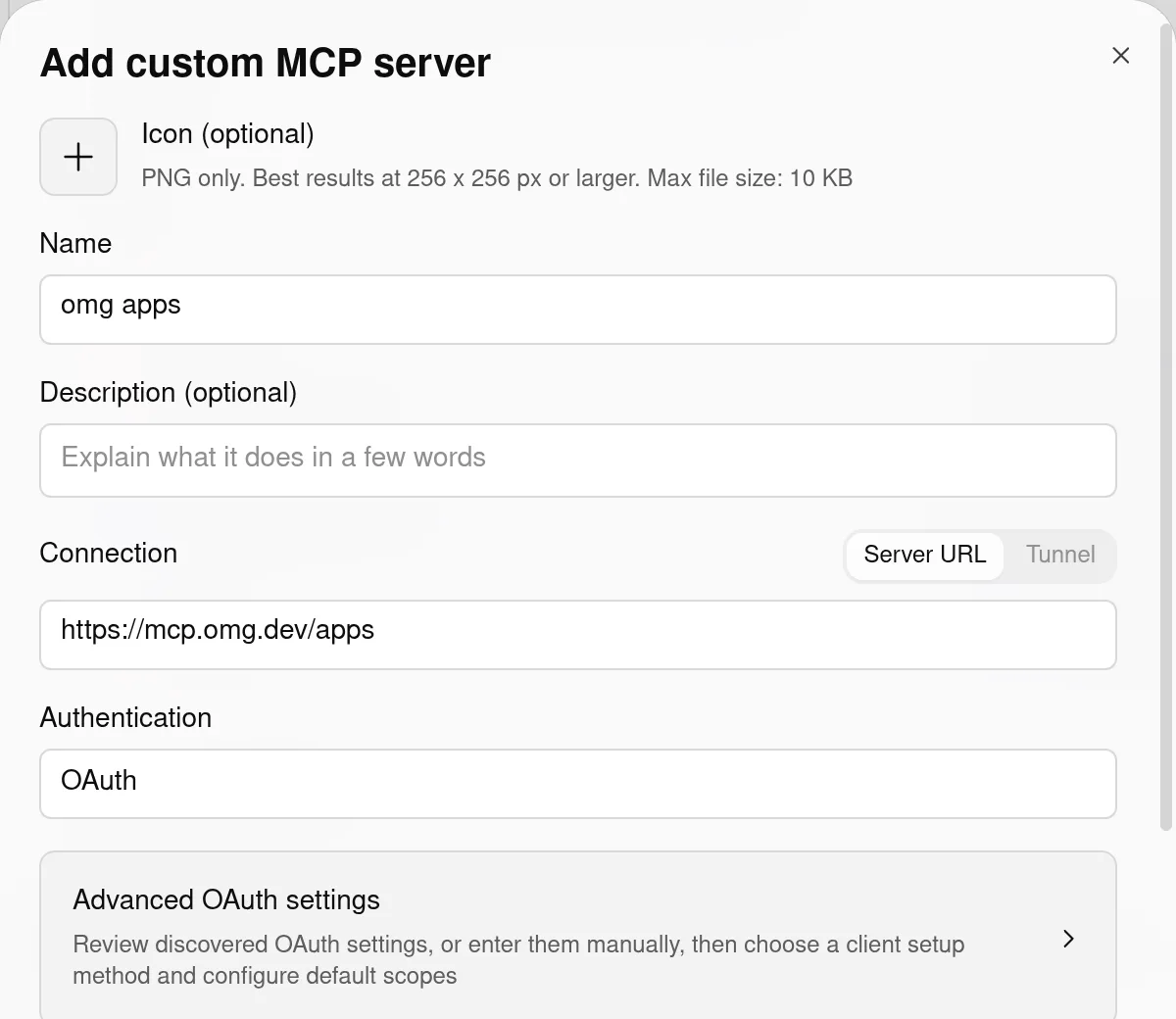
The whole setup is one form. The omg.dev sign-in asks for one permission: create, edit and publish your omg apps.
Step 2: Ask for an app
Start a new chat, type @omg apps, and describe what you want. ChatGPT reads
the omg guide, writes the files, publishes the app and waits for the build.
When the app is live, it shows a card with the link.
We ran three prompts end to end on October 27, 2026. Each one went from prompt to live link in 1 to 2 minutes.
A team vote
Make a team vote app that everyone with the link can use, with live counts
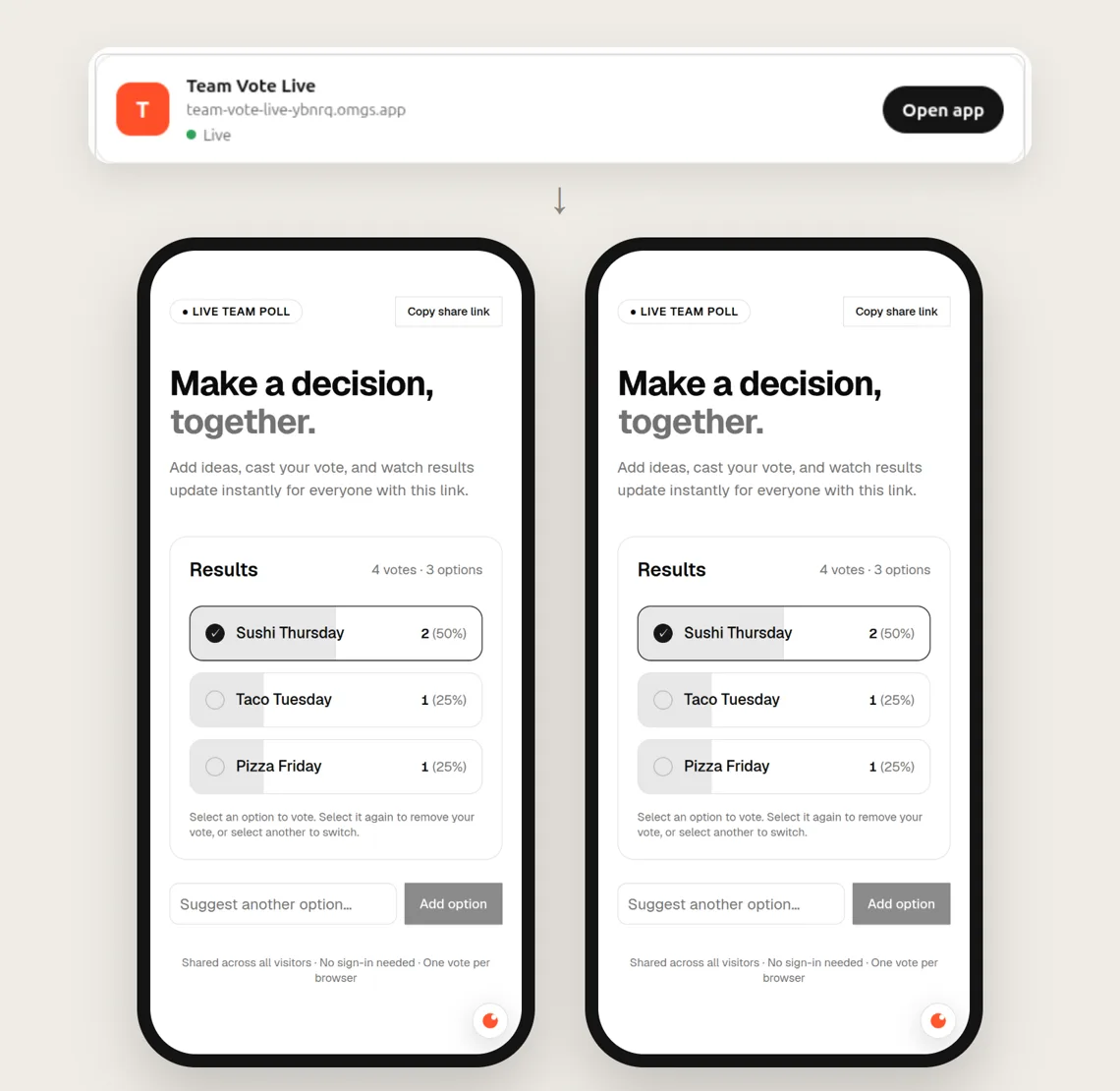
Built in 1 minute 10 seconds. Two browsers that share only the link show the same counts, because the votes are saved in the app's database.
A two-player game
Make a two-player tic-tac-toe game I can play with a friend on our phones
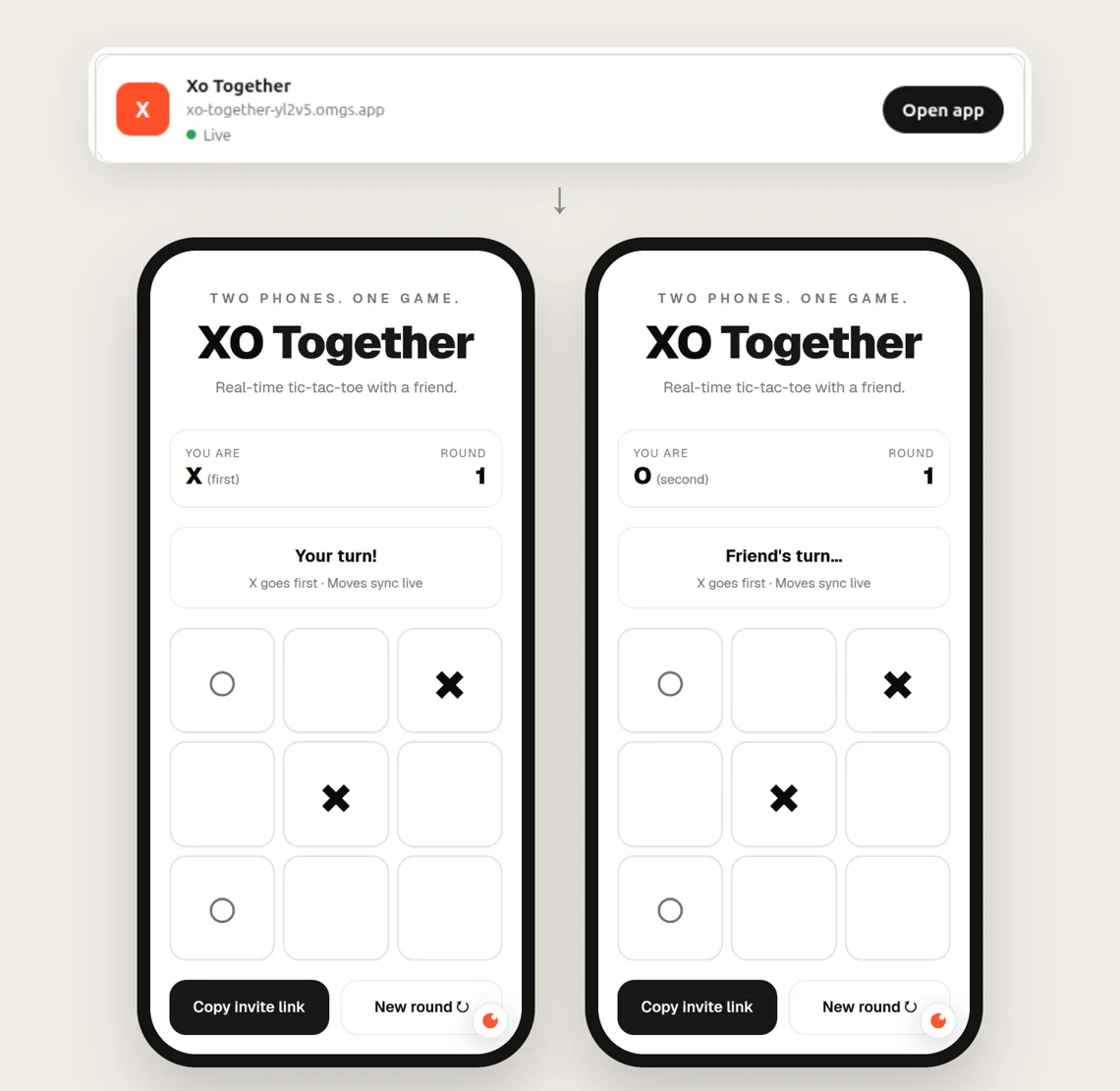
Built in 1 minute 42 seconds. Player one creates a room and sends the invite link. Player two joins as O, and each move appears on the other phone.
A guestbook with sign-in
Make a guestbook where people sign in and leave a message
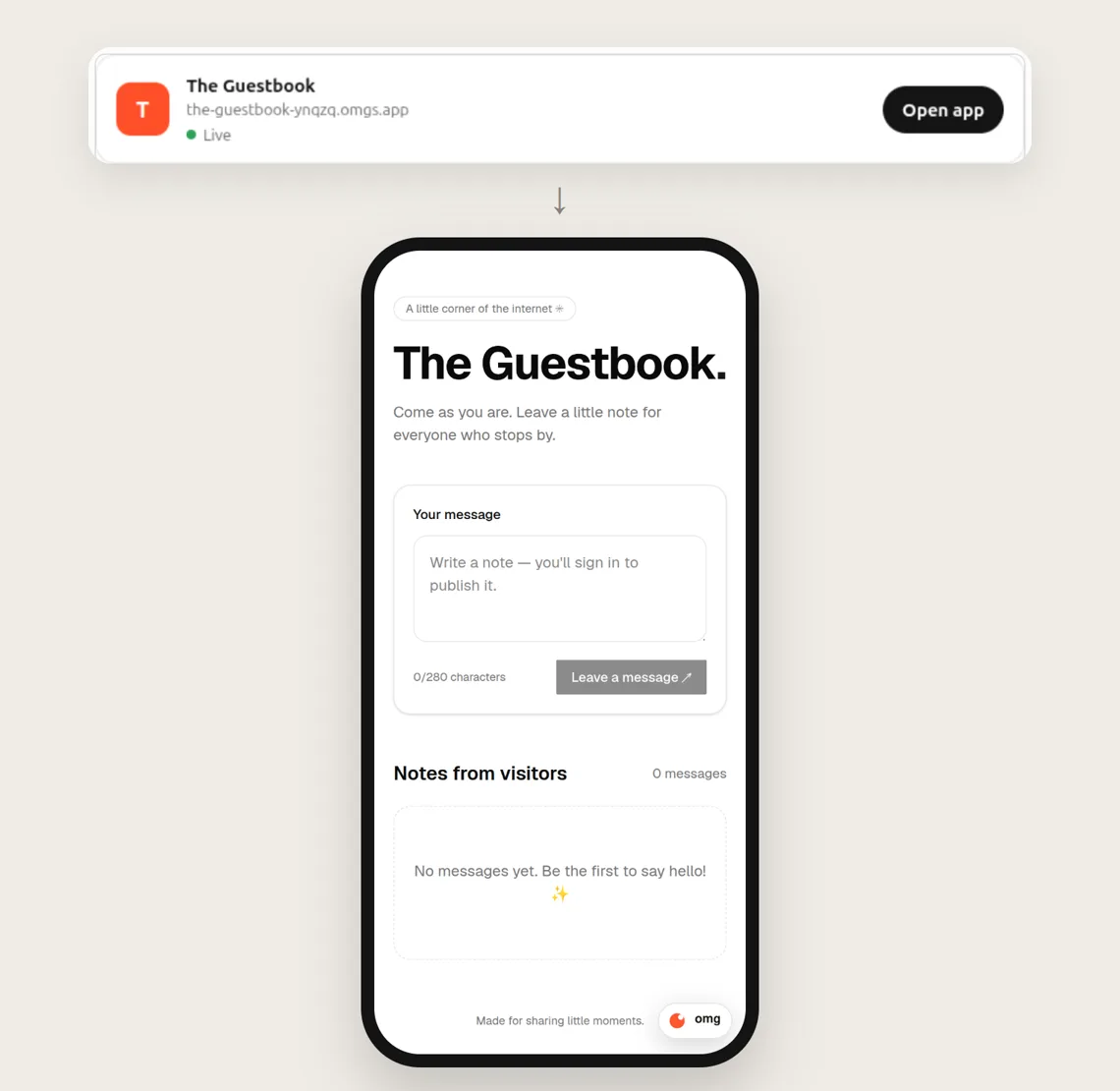
Built in 1 minute 8 seconds. Anyone can read the notes. Posting asks the visitor to sign in.
We also tested the server directly. Without sign-in, posting a message
returns 401, deleting one returns 401, and editing one returns 403.
Step 3: Change it
Ask in the same chat: "Add a reset button", "Make it dark", "Show who voted". ChatGPT sends the new files to the same app, and the link stays the same.
How it works
The plugin is an MCP server with four tools:
| Tool | What ChatGPT uses it for |
|---|---|
omg_app_guide |
Reads the rules for the starter, the database, sign-in and deploys, with a complete example app. |
omg_deploy_app |
Sends the files it wrote. omg builds them and publishes the app. |
omg_app_status |
Waits for the build and shows the app card. If a build fails, ChatGPT gets the error and the end of the build log, fixes the files and deploys again. |
omg_app_visibility |
Sets who can open the app: anyone with the link, or only people signed in to omg. |
For the full reference, see Build apps from ChatGPT or Claude.
Frequently asked questions
Can ChatGPT build and host a full-stack app?
Yes, with the omg apps plugin. ChatGPT writes the files, omg builds them, and you get a link at your-app.omgs.app. Every app has a database, sign-in and live updates between users.
How long does it take?
In our tests on October 27, 2026, ChatGPT went from prompt to a live link in 1 to 2 minutes for a vote board, a tic-tac-toe game and a guestbook.
Can two people use the app at the same time?
Yes. Every open browser sees each change at once. A vote count, a guestbook message or a tic-tac-toe move shows up on the other phone without a reload.
Do visitors need an account?
Only when the app needs one. Shared data, such as votes or a game board, works without sign-in. Private data asks the visitor to sign in with an omg.dev account.
Does it work on my phone?
You add the plugin once on chatgpt.com. After that it works in the ChatGPT web, desktop and mobile apps.
Does it work with Claude?
Yes. Claude Code connects to the same server with: claude mcp add --transport http omg-apps https://mcp.omg.dev/apps