3 min read
How to Make Your Own App in ChatGPT (No Coding Needed)
A simple guide to omg apps in ChatGPT. Add it once, describe the app you want in plain words, and get a link you can send to friends in about two minutes.
Add omg apps to ChatGPTThe short version
- Add omg apps to ChatGPT. You only do this once.
- Start a chat, type
@omg apps, and say what you want. - Wait about a minute. ChatGPT gives you a link to your app.
- Send the link to anyone. They open it on their phone and use it.
That's it. No code, no setup, no app store.
What you can make
Think of small things you and your friends, family or team would use together:
- A vote to pick where to eat on Friday
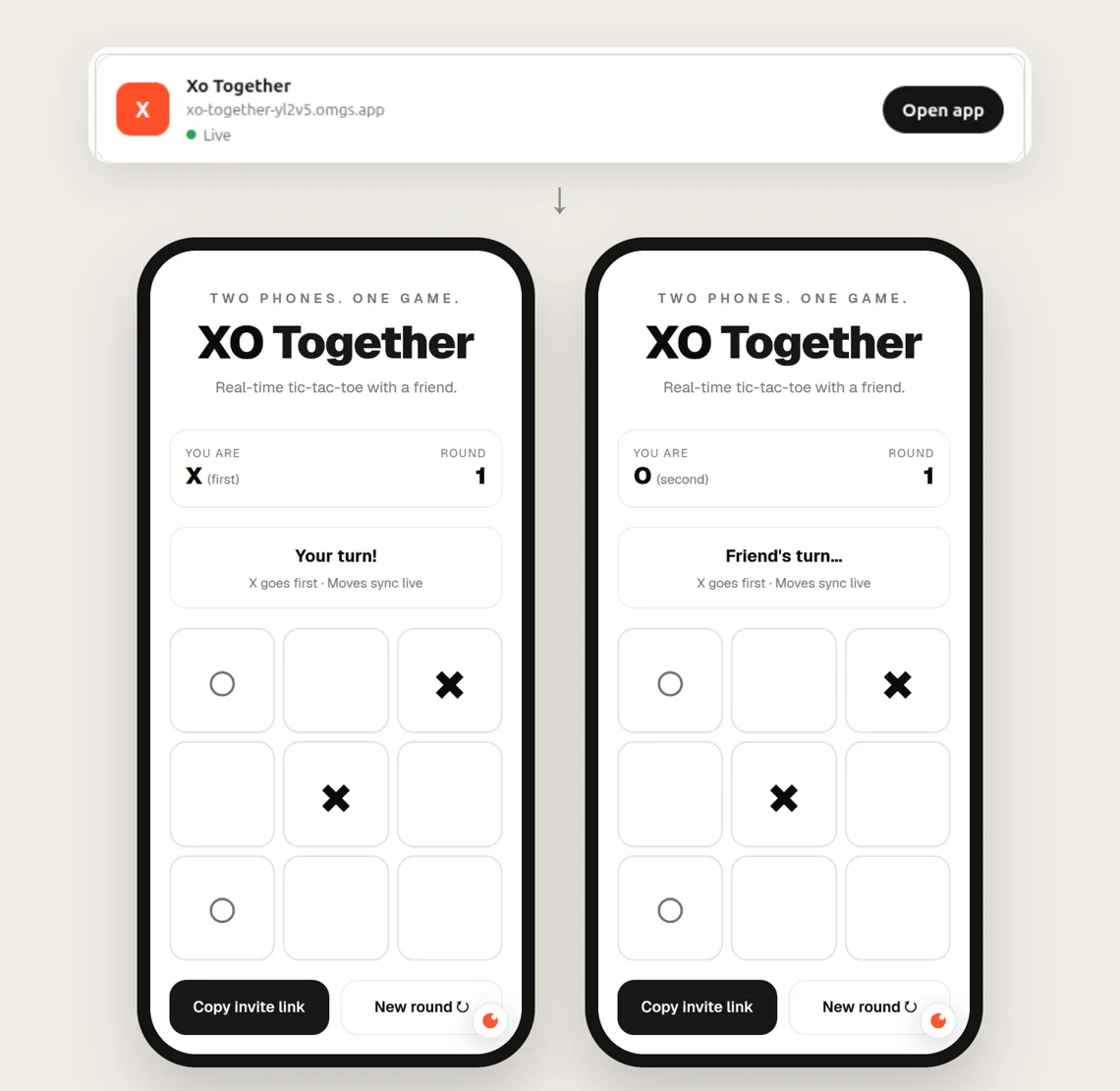
- A game you can play with a friend on two phones
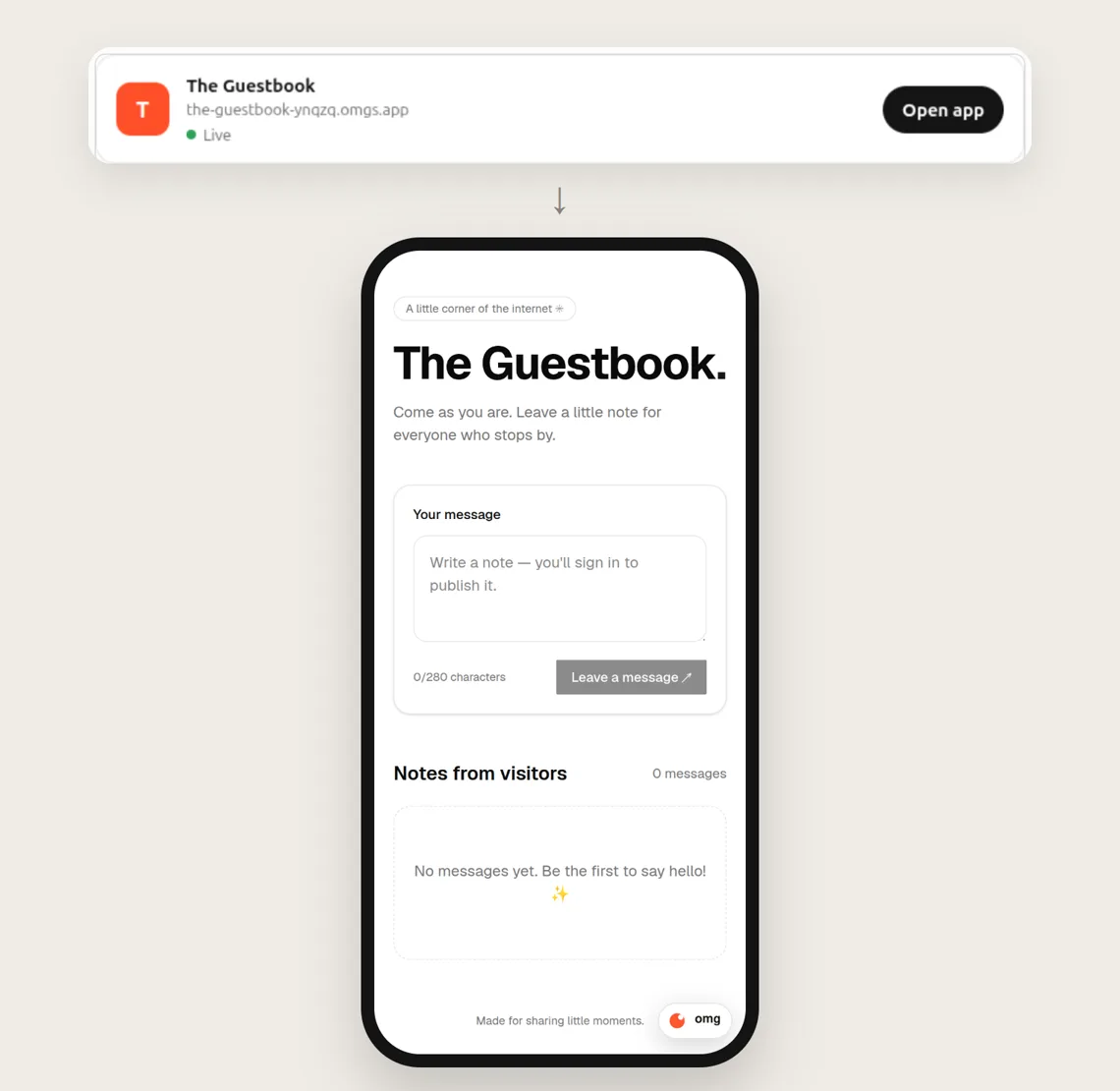
- A guestbook for a party or a wedding
- A sign-up sheet for a class or a sports team
- A shared shopping or to-do list
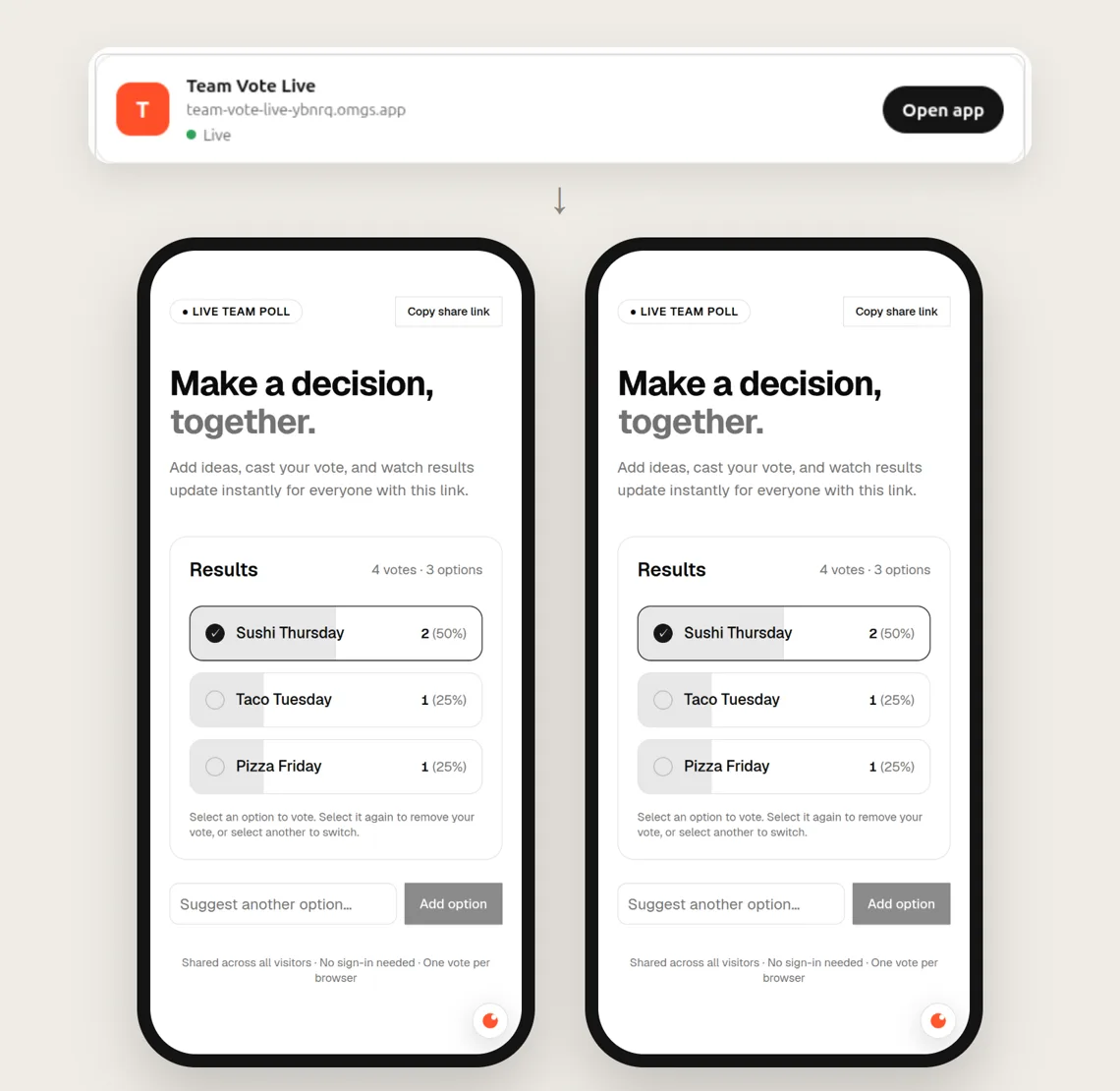
Everyone who opens the link sees the same thing. When one person votes, the count changes on everyone else's screen right away. Nobody has to refresh.
Two phones with the same link. A vote on one phone shows up on the other at once.
Step 1: Add omg apps to ChatGPT
- Open omg apps in ChatGPT.
- Tap Install plugin.
- Sign in to omg.dev. If you don't have an account yet, you can make one here.
- Tap Allow.
omg apps asks for one permission: to make, change and share your omg apps.
Step 2: Ask for your app
Open a new chat. Type @omg apps, then say what you want, the same way you
would explain it to a friend.
Here are three requests you can copy:
Make a team vote app that everyone with the link can use, with live counts
Make a two-player tic-tac-toe game I can play with a friend on our phones
Make a guestbook where people sign in and leave a message
Tips for a good request:
- Say who will use it. "For my team", "for me and one friend" or "for guests at my party".
- Say what people can do. "Vote", "add a song", "leave a message".
- Start small. Get the main idea working first. You can add more later.
Step 3: Open your app and share it
ChatGPT builds the app and puts it online for you. When it is ready, you see a card in the chat with your app's name, its link and an Open app button.
Tap Open app and try it. If you like it, copy the link and send it in a message, a group chat or an email. Anyone with the link can open it, on any phone or computer.
Want only certain people to see it? Ask ChatGPT:
Make this app private, so only people who sign in can open it
Step 4: Make it better
Stay in the same chat and ask for changes in plain words:
Add a button to start a new vote
Make it dark, with big buttons that are easy to tap
Show the name of each person who voted
ChatGPT updates the app, and the link stays the same. Your friends see the new version the next time they open it.
If something looks wrong, say what you see. For example: "When I tap the vote button, nothing happens." ChatGPT will try to fix it and update the app.
Good to know
- Your app remembers things. Votes, scores and messages are saved, even after everyone closes the page.
- Works everywhere. You can make apps from ChatGPT on your phone, your computer or the web.
- No downloads for your friends. Your app is a web page. People just tap the link.
Ready to try?
Add omg apps to ChatGPT, then ask for the first app that comes to mind. It takes about two minutes to find out if your idea works.
Want more detail about how it works? Read Build a multiplayer app in ChatGPT.
Frequently asked questions
Do I need to know how to code?
No. You describe the app in your own words. ChatGPT does the building, and you get a link to try it.
How long does it take?
In our tests, it took one to two minutes to go from a request to a working link.
Can I use it on my phone?
Yes. omg apps works in ChatGPT on the web, in the desktop app and in the phone app.
Do my friends need an account to use my app?
Usually not. People can vote, play or look at the app with just the link. They only need to sign in if your app keeps something private, such as their own messages.
Can I change my app later?
Yes. Go back to the same chat and ask for the change. Your link stays the same, so your friends don't need a new one.
Is my app saved?
Yes. Votes, scores and messages are saved, and they are still there when you come back tomorrow.