6 min read
How to Make Your Own Kahoot-Style Quiz for Your Class (No Student Logins)
Hit Kahoot's free player limit? Build your own live class quiz with AI: questions on the projector, answers on phones or Chromebooks, a leaderboard and a podium. The prompt, every screen and what we tested.
Build this class quiz on omg.devKahoot is great until the free plan stops at 10 players and you have 32 students.
You can now build your own live class quiz in one message, without code. We built one for a water cycle lesson and played a full game with nine students. Here's the prompt, every screen and what we tested.

Illustration. The real screens are further down.
The short version
- Stay on Kahoot if your class fits your plan and you like its ready-made quizzes.
- Make your own if you hit the player limit or want your own look and rules.
- Try ours free: our class quiz. Host it on a laptop, join from your phone.
How many students can play Kahoot for free?
From Kahoot's help centre, checked on 29 October 2026:
| Kahoot plan | Players in a live game |
|---|---|
| Free account | Typically 10 to 40, by account type |
| Kahoot! Go (K-12) | 40 |
| Kahoot! Plus Bronze | 50 |
| Kahoot! Plus Silver | 100 |
| Kahoot! Plus Gold | 200 |
A free Business account is limited to 3 players for quizzes you make yourself.
Kahoot or your own quiz?
| Kahoot | Your own on omg.dev | |
|---|---|---|
| Ready-made quizzes | Large library | You write them (or ask the AI) |
| Player limit | Set by your plan | Set by you (ours: 100) |
| Students sign up? | No: PIN and nickname | No: code and first name |
| Look and feel | Kahoot's | Yours |
| Cost | Free plan, then paid | Free to try, then from $19 a month |
Build it on omg.dev
1. Pick a design reference
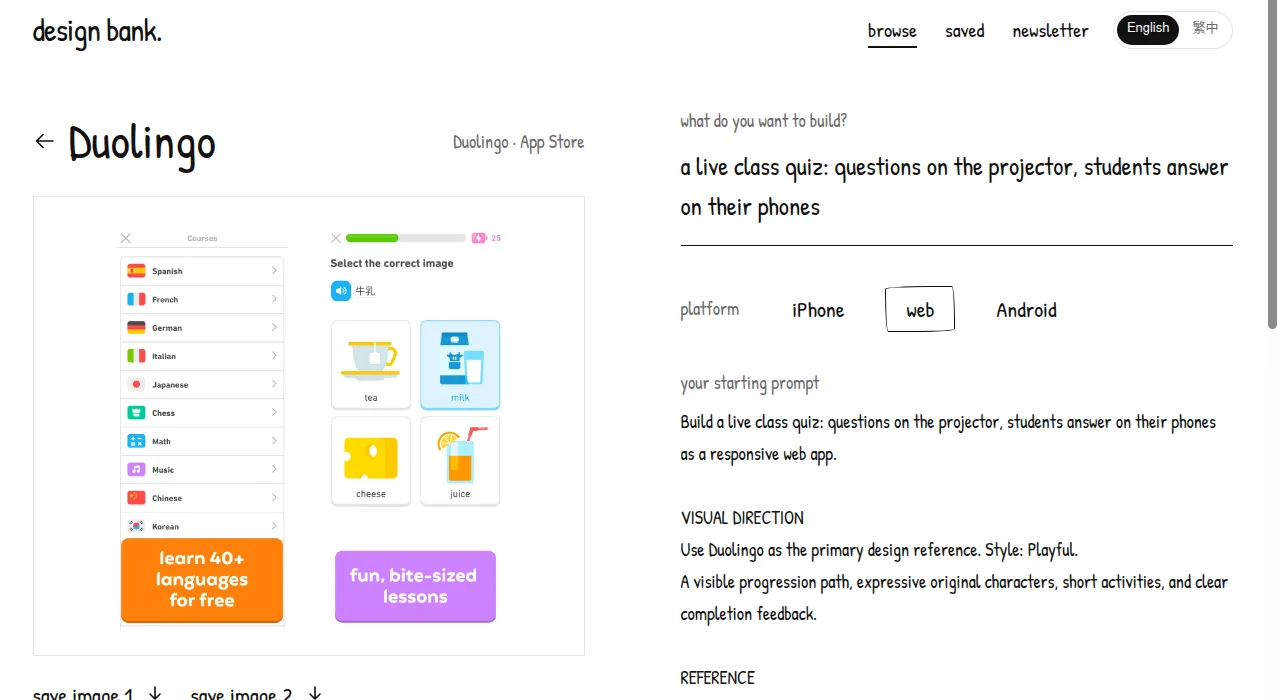
Kids love quizzes that look like games. In Design Bank, omg.dev's free library of app designs, pick one you like (we chose Duolingo), type your idea, and it writes a starting prompt with reference images.
2. Describe the quiz
Start a new session on omg.dev and describe the quiz. The button at the top of this page fills in ours:
Build a live class quiz like Kahoot. I write questions with four answers and mark the right one; start with 8 water cycle questions. The projector shows a 6-digit code and a QR code. Students join on phones or Chromebooks with the code and a first name, no accounts. Each question has a 20-second timer, and faster right answers score more. Check answers on the server, allow one answer per student, and never send the right answer early. After each question, show the answer counts and the top 5; at the end, a podium for the top 3. Use Duolingo from Design Bank (https://design-bank-kml6n.omgs.app/#ref=duolingo) as the design reference. Before you say it's done, play a full game with a projector tab and three student tabs, then publish it.
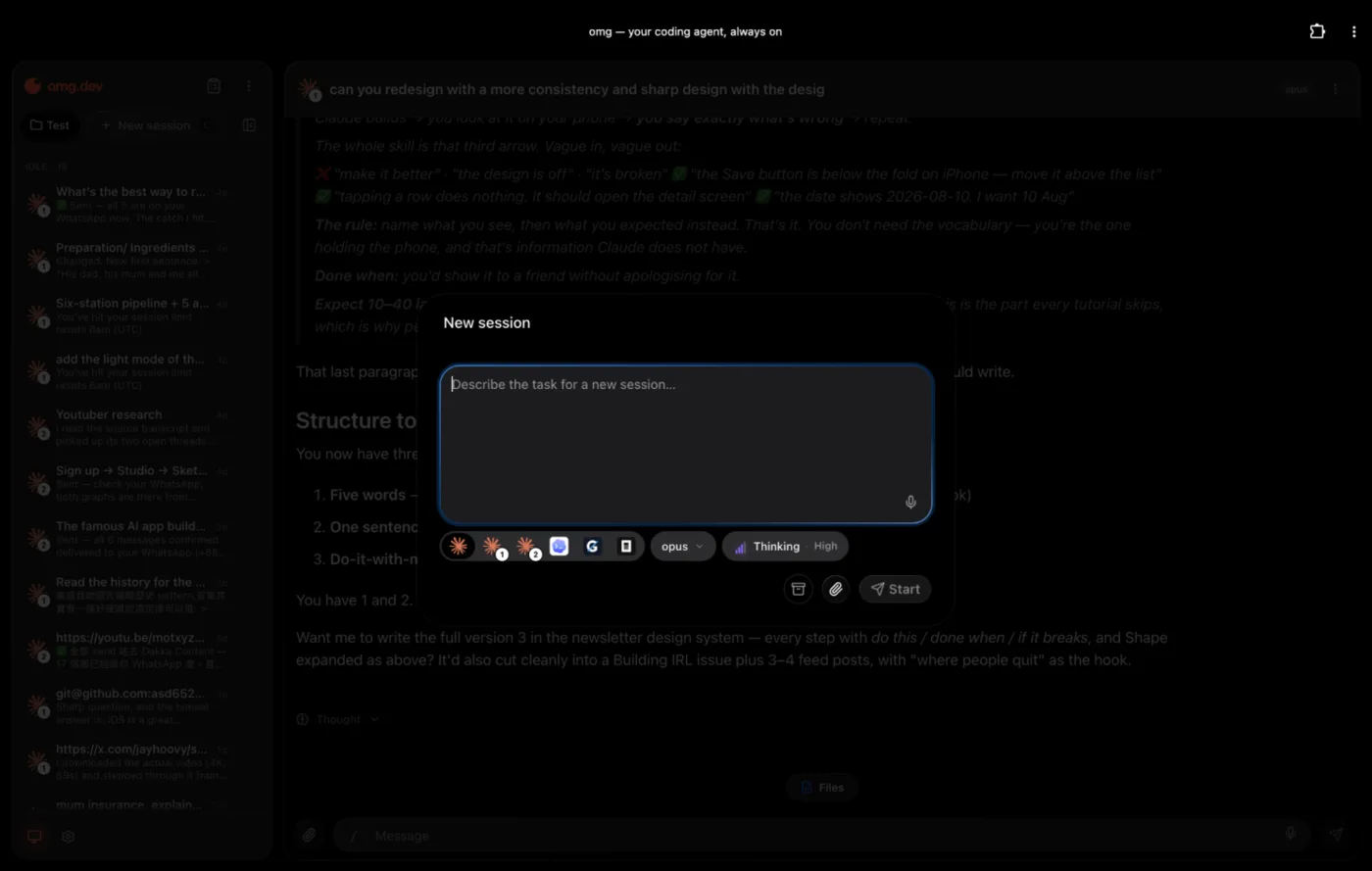
It says who does what, the rules that keep it fair, the look, and asks the agent to test before it's done.
3. Let the agent build and test it
The agent builds the screens, database and server rules, tests them and publishes a live link. No database, hosting or logins to set up. Ours was live in under 10 minutes, plus about 15 minutes of testing and fixes.
4. What you get
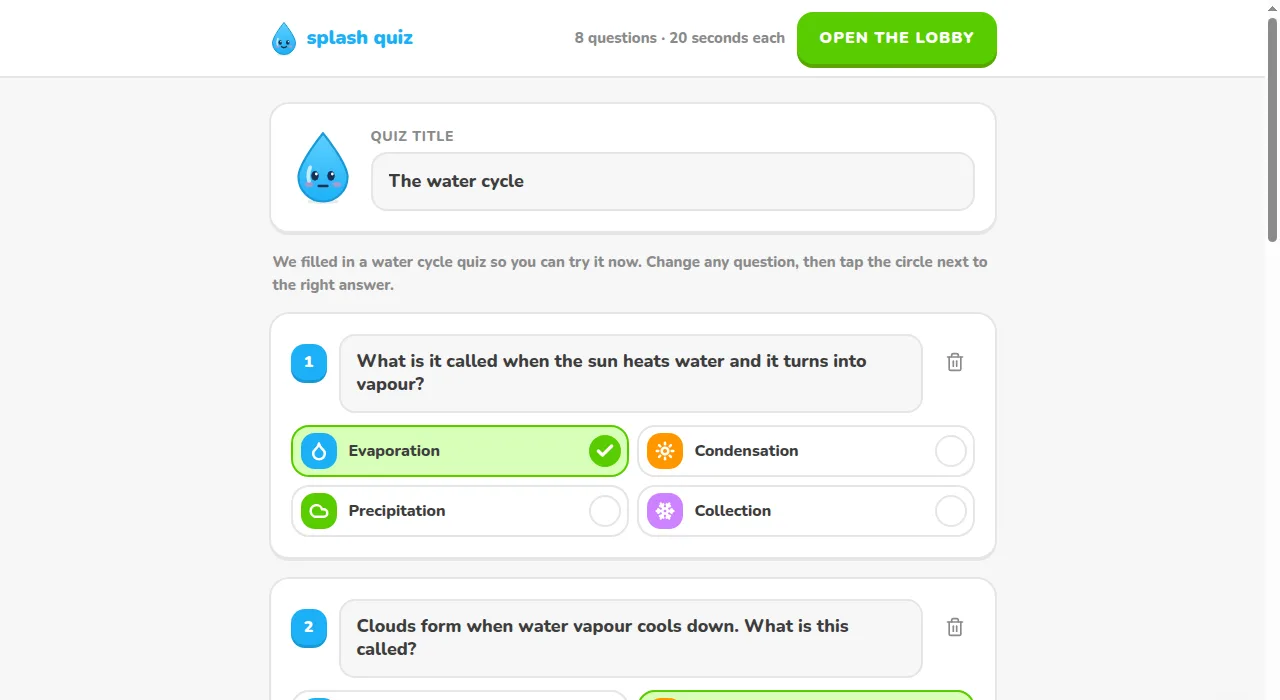
The editor. Edit any question and tap the right answer.
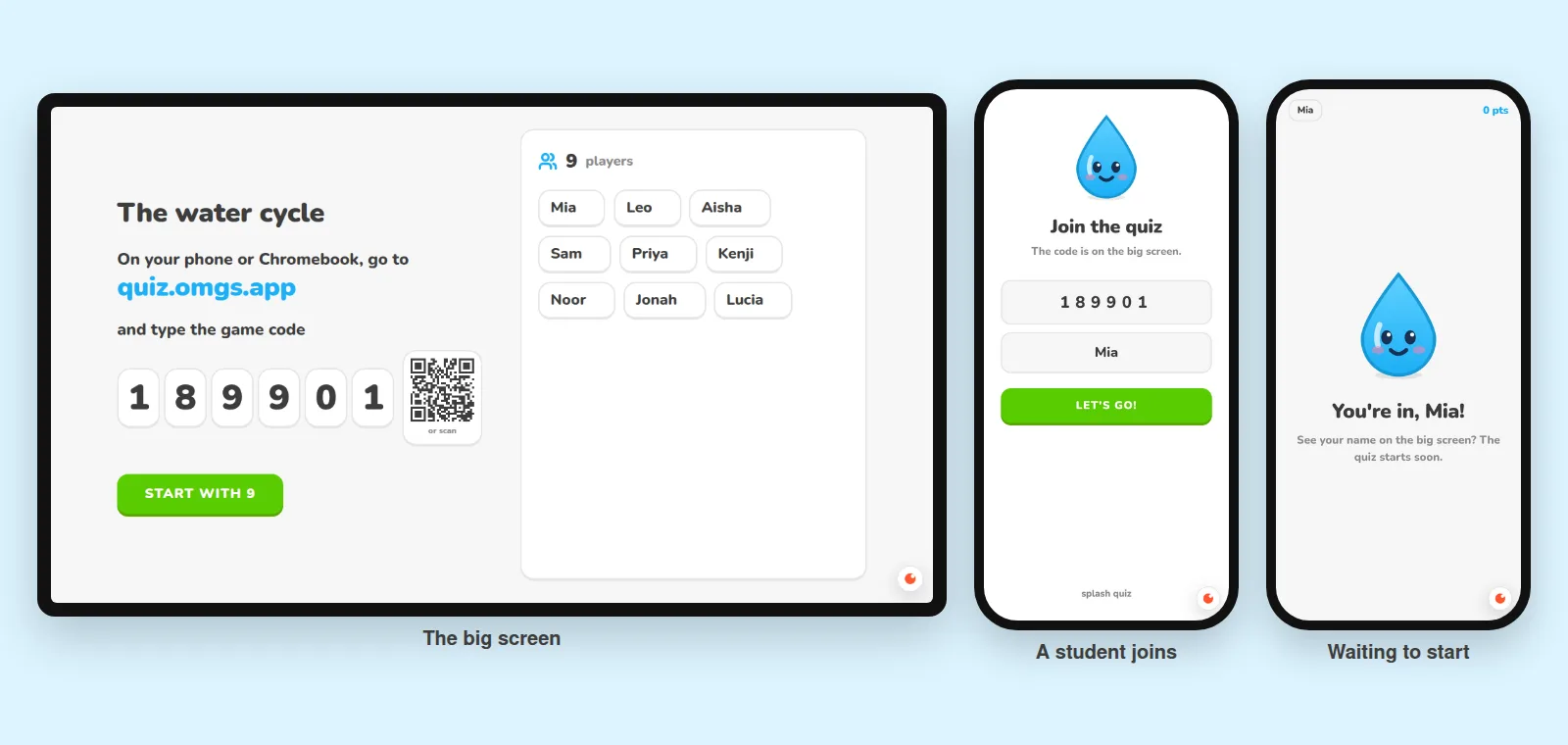
The lobby. A code and QR code on the projector. Names pop up as students join.
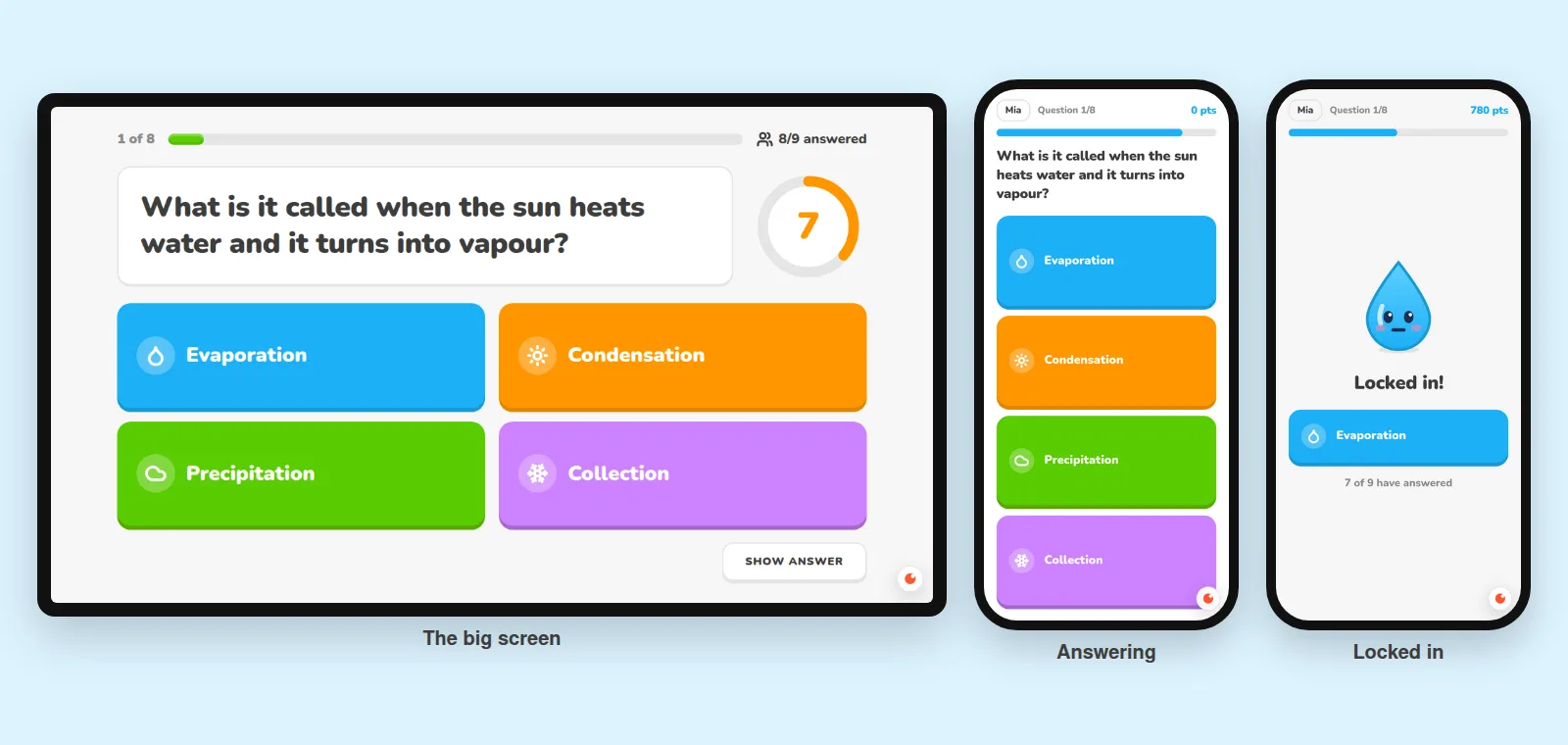
A question. A 20-second timer on the big screen, four big answers on each phone. Each answer has a colour and an icon, so colour-blind students can play.
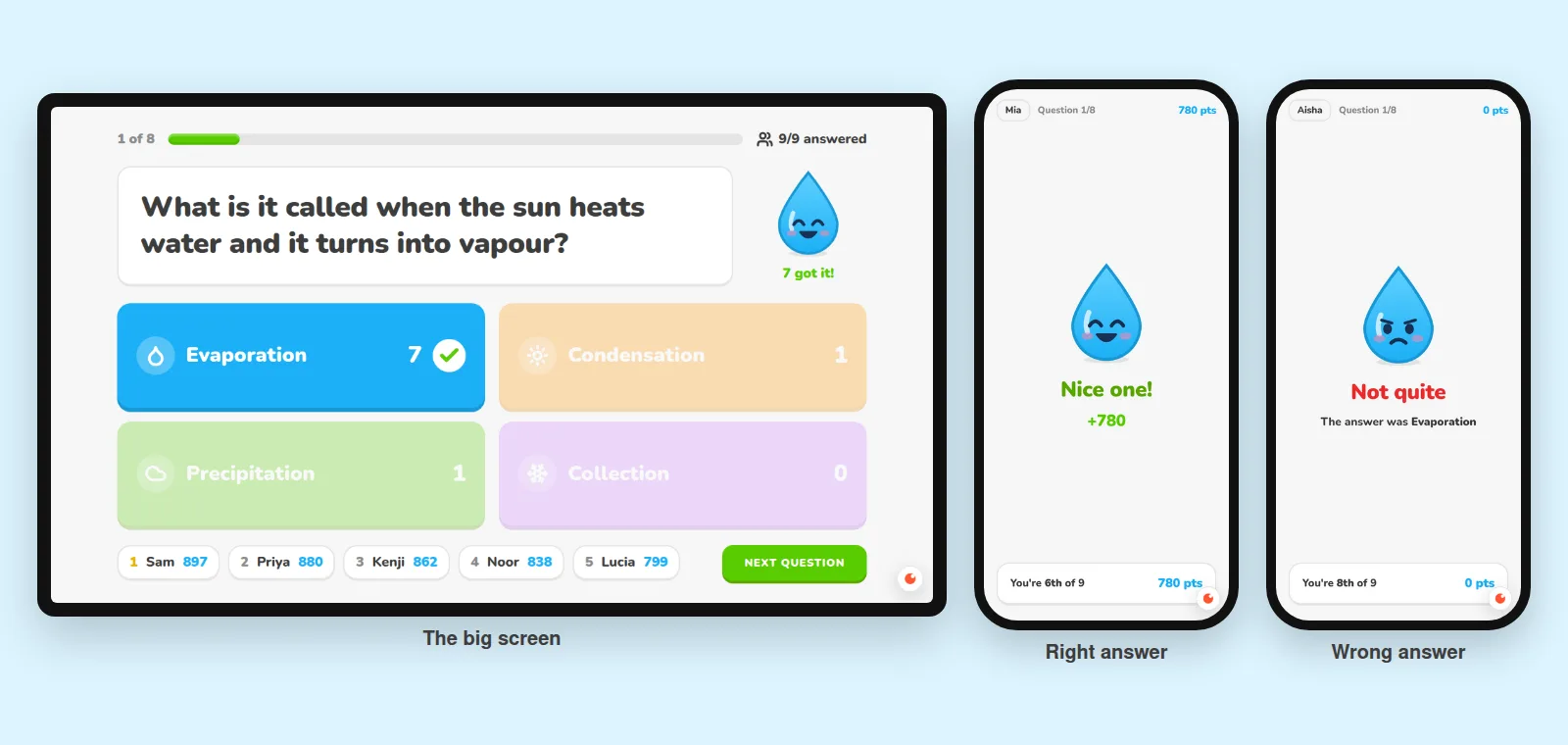
The answer. Votes per answer and the top 5. Each phone shows points and place.
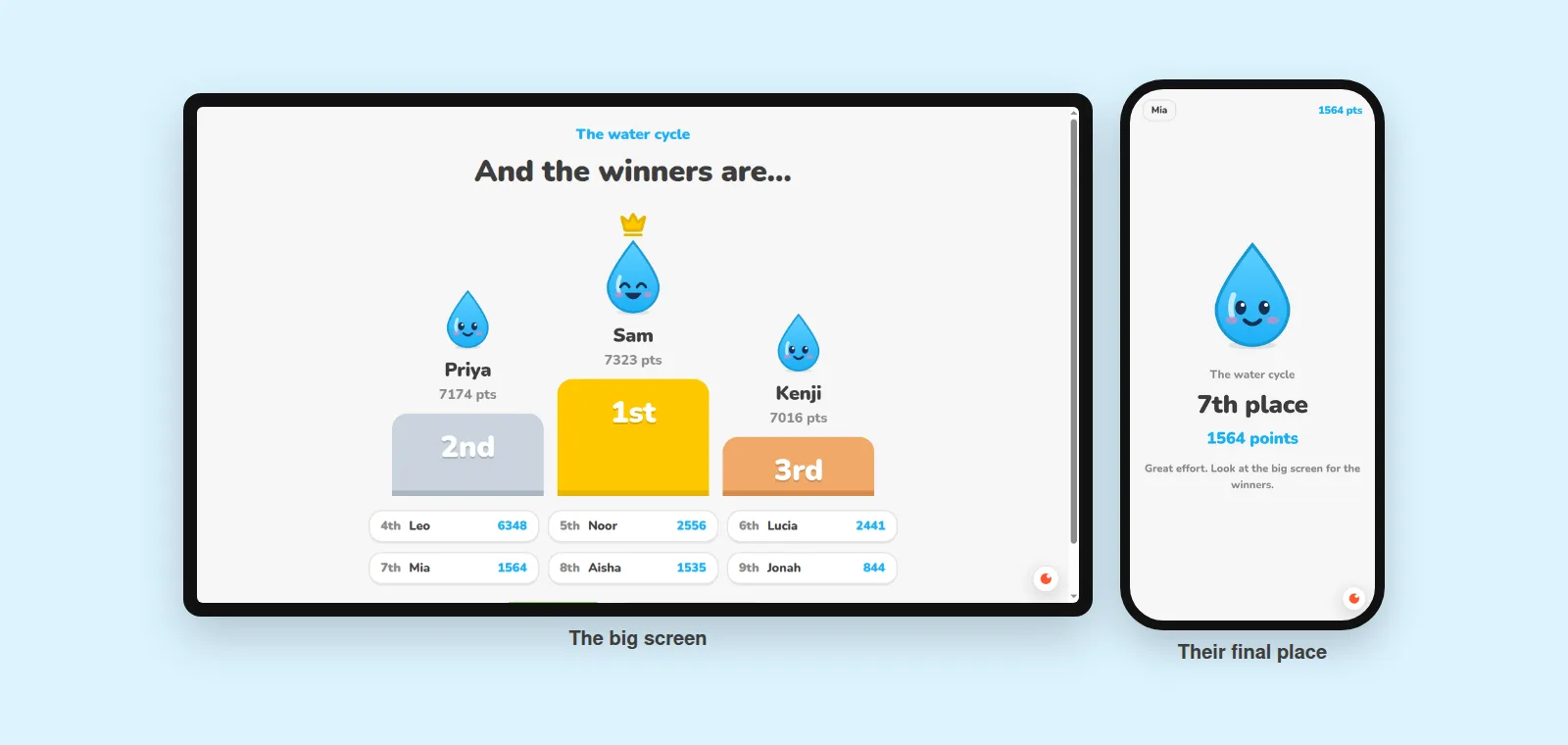
The podium. The top three on the big screen. Every student sees their place.
5. What we tested
A projector screen, three phones and six more students joining at once:
| Test | Result |
|---|---|
| 9 students join | All 9 names on the big screen |
| Two students called Mia | The second is asked to add a letter |
| One answer tapped 5 times at once | Counted once |
| A phone asks for the answer early | Not sent until time is up |
| Everyone answers before the timer ends | The answer shows straight away |
| Another computer tries to start the game | Refused |
| "Play again" after the podium | Same students, scores back to 0 |
| A full 8-question game | Podium and places correct |
6. What we fixed
The first game showed four problems, each a quick fix:
- The game code on phones was too small.
- The join link looked messy (
?code=%22516996%22). - The podium was cut off on a 720p projector.
- There was no QR code.
Play a full game yourself before you take it to class.
Tips for class
- Make the quiz on the projector's computer. That browser is the host.
- Let students scan the QR code. On Chromebooks, type the website and code.
- Use "Play again" to keep the same students and reset the scores.
Ideas to ask for next
- Teams: add up each table's points.
- Your language: "Translate every screen into Spanish."
- Pictures: "Let me add a picture to each question."
- Homework mode: "Let students take it at home at their own pace."
- AI questions: "Write 10 fraction questions for 10-year-olds."
More real sites built on omg.dev
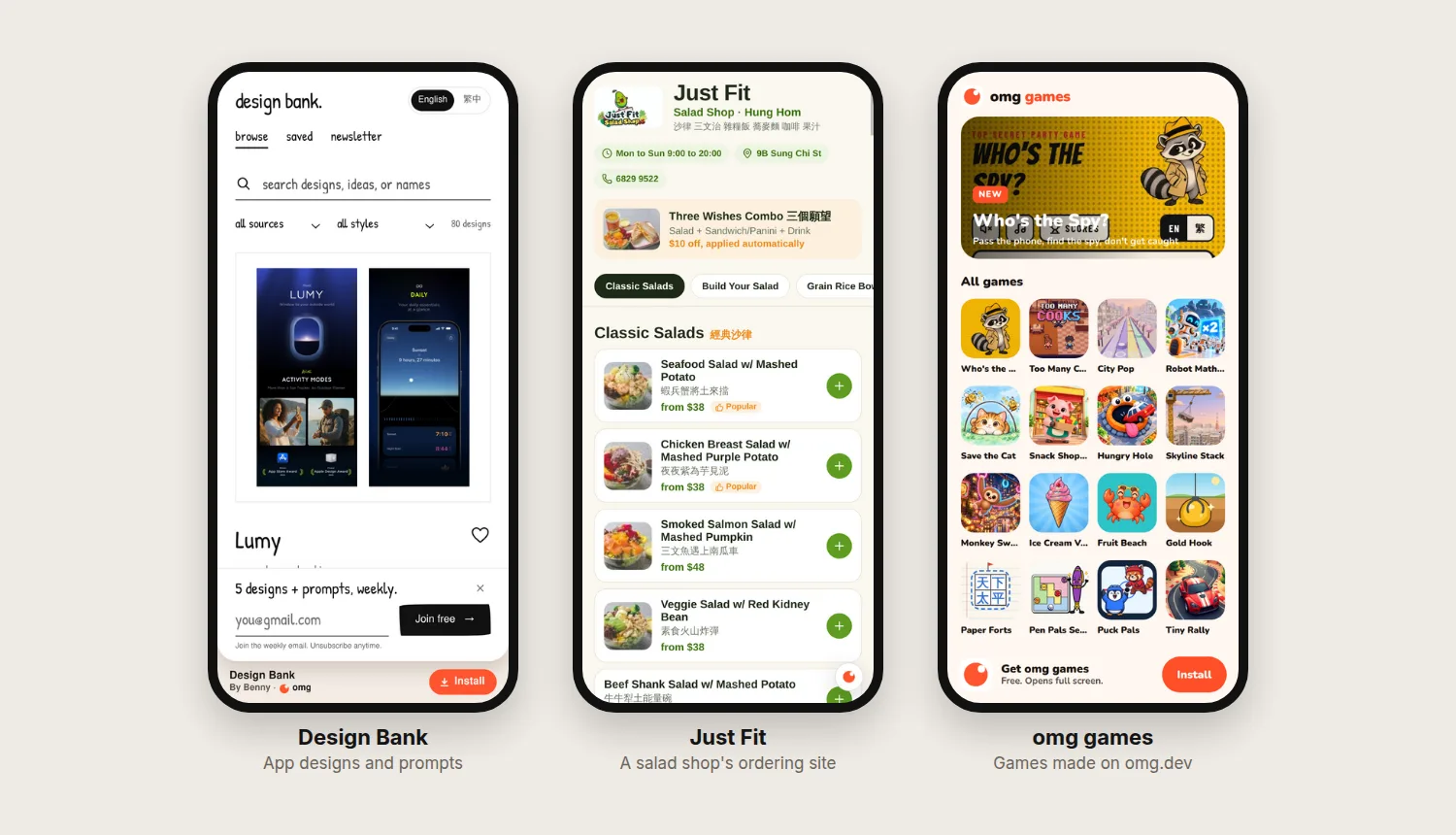
- Design Bank: 80 app designs and prompts.
- Just Fit: a Hung Hom salad shop's menu and ordering site.
- omg games: free browser games made on omg.dev.
Planning a quiz night instead? Read how we made a multiplayer party quiz with AI.
Frequently asked questions
Can I make my own Kahoot for free?
Yes. You can try omg.dev for free, describe the quiz you want, and get a live link for your class. If you build a lot, plans start at $19 a month, with no charge per student.
How many students can play Kahoot for free?
Kahoot's help centre says free accounts are typically limited to between 10 and 40 players, depending on the account type. Its K-12 teacher plans allow 40 (Kahoot! Go), 50 (Plus Bronze), 100 (Plus Silver) and 200 (Plus Gold) players. Checked on 29 October 2026.
Do students need an account or an app?
No. In our quiz, students open the link on a phone, tablet or Chromebook, type the game code (or scan the QR code) and a first name. Nothing to install.
Can I use my own questions?
Yes. The teacher screen opens with an editor. Change any question and answer, tap the right one, add or delete questions, then open the lobby.
Is a homemade quiz safe for students?
Ours asks only for a first name, and the right answer is never sent to students' devices until time is up. Points are worked out on the server, so a student can't give themselves extra points. Ask for rules like these in your prompt, and ask the agent to test them.