4 min read
She Built Her Family's Christmas Planner in 15 Minutes
One of our users built a Christmas planner in 15 minutes: countdown, to-dos, gifts and cards. We turned it into a shared family version. Here's how.
 By Angel LuiLinkedInBuild a family Christmas planner on omg.dev
One morning this October, someone tapped an omg.dev ad on her phone.
About 15 minutes later she had published her own Christmas planner:
- A countdown to Christmas Day, with a tree.
- Upcoming jobs with dates: buy the tree, send the cards, wrap presents, shop for food.
- A gift tracker: one line per person, the gift and the price.
- A Christmas card list.
A real app for one family, in less time than a queue at the post office.
We haven't asked her if we can share it, so we won't name or link it. Instead we built the next step: a planner the whole family edits together. The screenshots are from ours, with a made-up family.
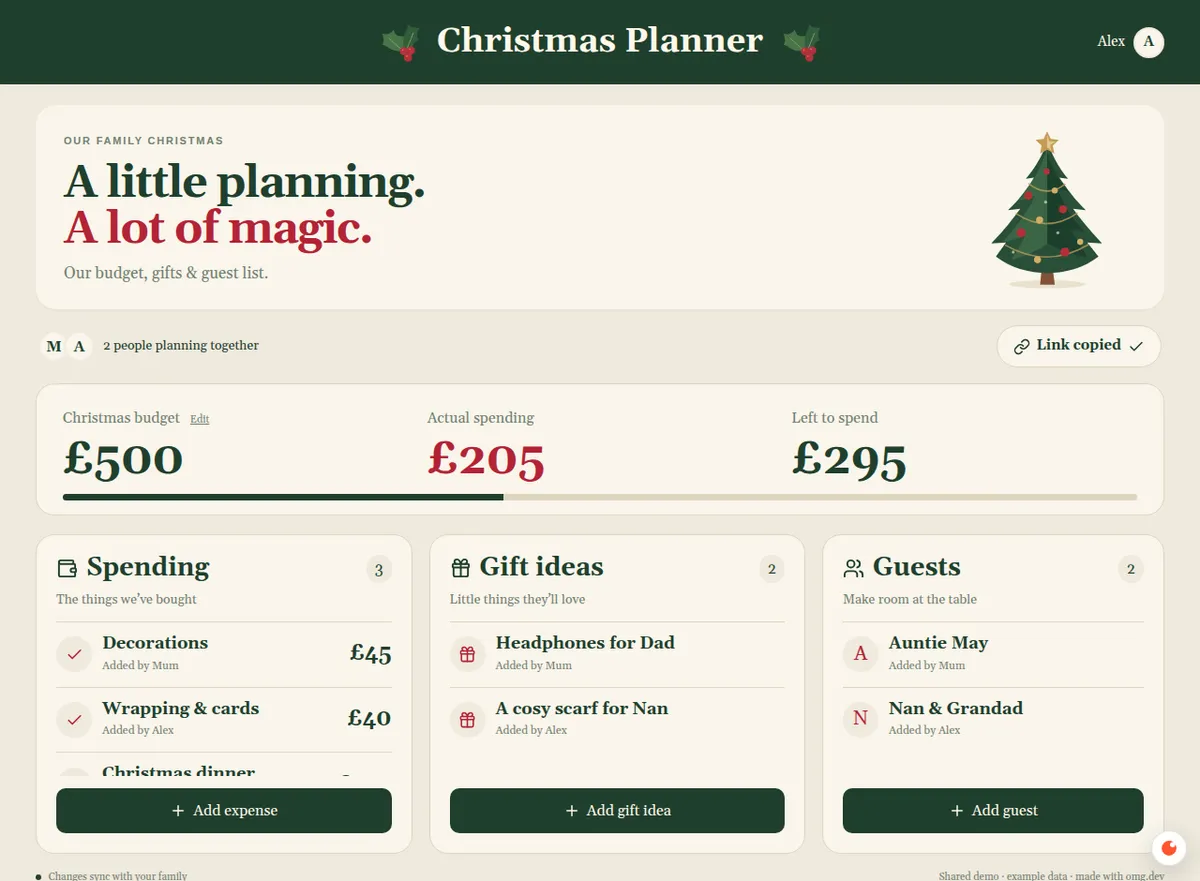
Our sample planner, with a made-up family.
The short version
- Try the sample: our Christmas planner. It's public, so anyone can add to it.
- Make your own in one message: budget, gifts, guests and an invite link.
- Invite your family. Anything one person adds shows up for everyone.
- Make it private before you put real plans in it.
Step 1: List what your family keeps asking
Every family Christmas runs on a group chat. Someone asks who's bringing the crackers. Three people buy wrapping paper. The budget lives in one person's head.
Write down the questions that come up every year. Ours were:
- How much are we spending? One budget, what's gone, what's left.
- Who's buying what? Gift ideas per person, so nobody doubles up.
- Who's coming? The guest list, so the food adds up.
Each question became a tab: Spending, Gift ideas and Guests. Her questions were different: what's left to do, what am I giving, who gets a card. Start from yours.
Step 2: Describe it in one message
Start a session on omg.dev. The button at the top of this page fills in this prompt:
Make a Christmas planner for my family. One shared page with our Christmas budget, what we've spent and what's left, gift ideas for each person, and the guest list. I send my family an invite link and they join with their name. When anyone adds an expense, a gift idea or a guest, everyone sees it straight away. Give it a cosy Christmas look with a tree. Only people with the invite can open it. Test it with two browsers, then publish it.
Change the currency, the budget and the names to fit your family.
Step 3: Invite your family
Tap Invite family and send the link to the group chat. Each person opens it and types their name: no account, no download.
It updates live. In our test, "Mum" added £45 of decorations in one browser. In the other, spent went from £160 to £205 and left to spend from £340 to £295, with no refresh.
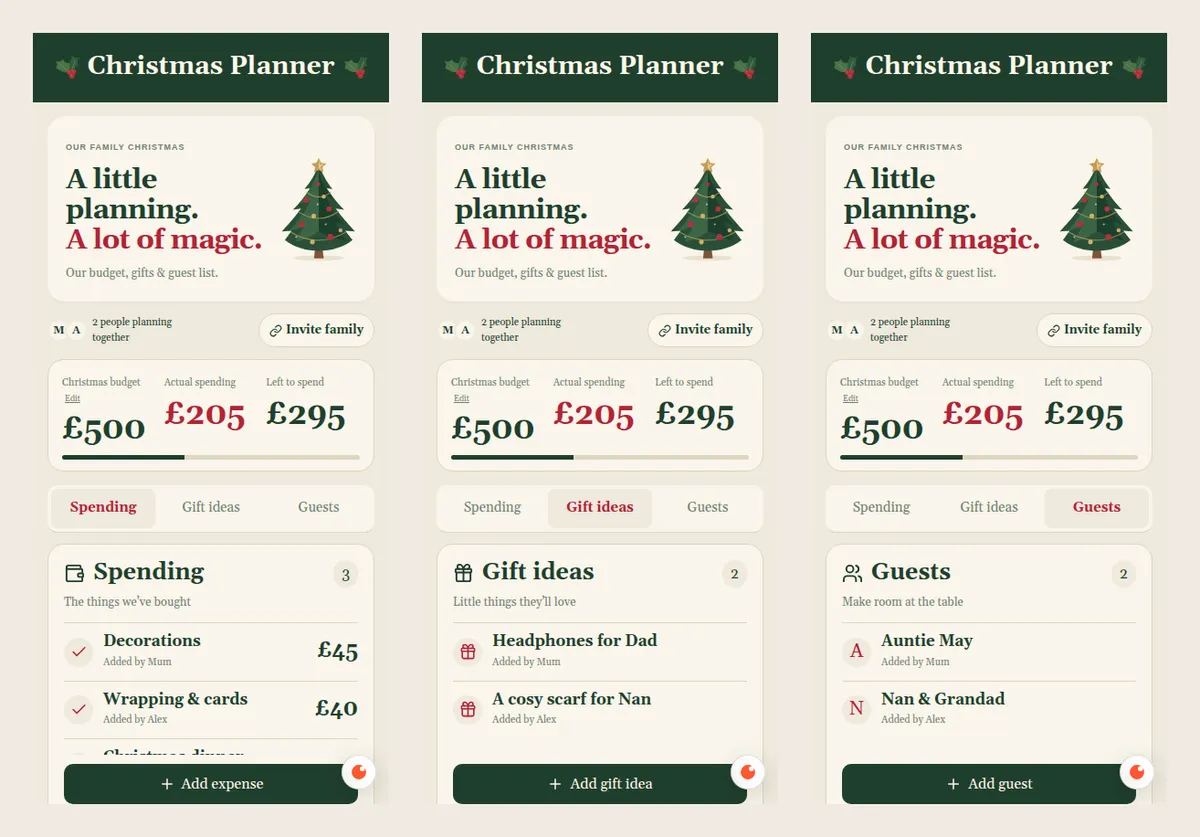
Every item shows who added it, so "who said they'd buy the scarf?" answers itself.
Step 4: Make it your family's
A planner that looks like a spreadsheet gets ignored. One with a tree gets opened. Ask in plain words:
- "Put our family name at the top."
- "Show a countdown to Christmas Day."
- "Add a to-do list with dates."
- "Make the budget bar turn red when we go over."
Step 5: Keep it private
Our sample is public so you can try it. Your family's plan shouldn't be: gift ideas are secrets.
- Ask for sign-in: "Only people I invite can open the planner."
- Hide gifts from the person they're for: "Don't show Dad the gift ideas for Dad."
- Test it: open the link in a private window. It should ask you to sign in.
Add one thing at a time
- Secret Santa: "Draw names and only tell each person who they're buying for."
- Christmas dinner: "Add a menu and who's bringing each dish."
- Cards: "A card list with a tick when each one is posted."
Why it's a good first app
The people are already in the group chat. The deadline doesn't move. And it's small: three lists and a total, described in one message and used the same day.
She went from an ad to a working planner in about 15 minutes. Try our sample, then make yours on omg.dev.
Running a class activity instead? Read how to make your own Kahoot-style quiz.
Frequently asked questions
Is there a free Christmas planner app for families?
You can make your own for free on omg.dev: describe the budget, gift and guest lists you want, and it builds a shared planner with a link for your family. Try our sample planner first to see how it works.
Can the whole family edit the Christmas plan together?
Yes. Send the invite link. Each person joins with their name, and anything they add, like an expense, a gift idea or a guest, shows up for everyone straight away.
How do I track a Christmas budget with my family?
Set one total budget, then add each expense as you buy things. The planner adds up what's been spent and shows what's left, so nobody has to do the sums in the group chat.
Does my family need to download an app?
No. The planner is a website, so it opens from the link on any phone, tablet or computer. Each person can add it to their home screen if they like.
Is a homemade family planner private?
Only if you ask for it. Our sample is public on purpose, so anyone can try it. For your real family, ask for sign-in so only people you invite can open it, and test that a stranger's browser can't.
How long does it take to make?
Our user went from first visiting omg.dev to a published planner in about 15 minutes. Yours depends on how much you ask for; start small and add things after your family has used it.