4 min read
My Photo Booth Friend Moved to London, So We Built One Online
A photo booth needs you both in the box. My booth friend moved to London, so Chloe and I built kawa2: you take half the strip, your friend takes the rest.
 By Angel LuiLinkedInBuild a long-distance photo booth on omg.dev
My friend and I took sticker photos in the booths at Tin Shui Wai's neighbourhood malls. Squeeze in, pull a face, wait for the strip to drop out of the slot.
Then she moved to London.
My phone takes far sharper photos than those booths ever did. Not one of them feels like a booth strip. And a booth only works if you're both in the box.
Chloe had the same itch from the other side. In her words: "I love sticker photos so much I was going broke taking them, so I made my own online photo booth." Together we built kawa2: a booth for two people in two cities.
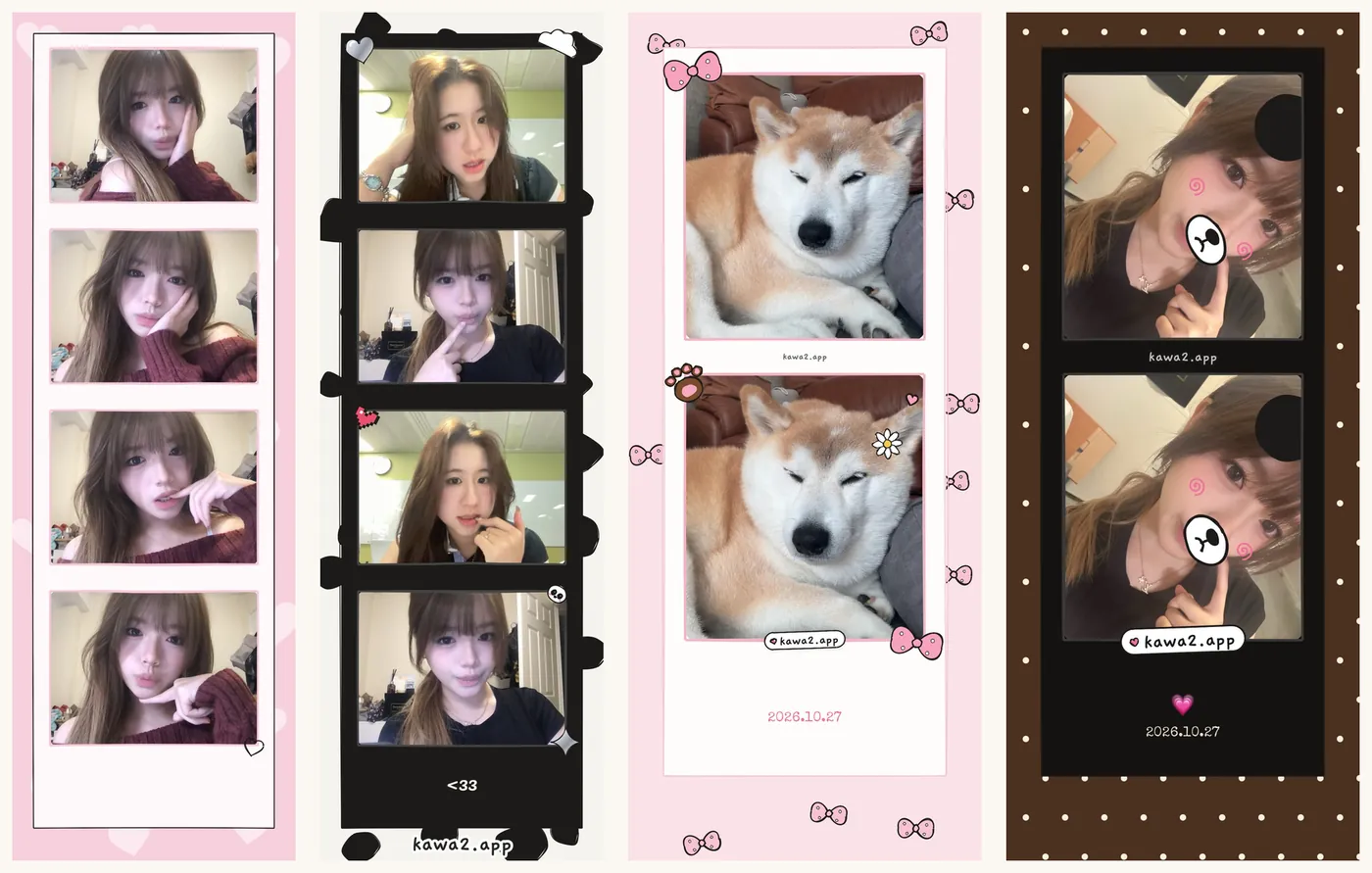
Chloe's first strips, from the day she launched it.
The short version
- Try it: kawa2.app. Tap "take today's photo", then "far apart".
- How it works: you take half the strip and send a link. Your friend takes the other half. One strip, two cities.
- Build your own: start from the feeling you miss, then test it as the friend far away.
Step 1: Write the feeling in one line
Ours is on the home screen: "miles apart, same photo strip."
Write yours before you ask for a single feature, and check every idea against it. Sharpness never made our list. The countdown panic, four photos in a row, the frame, the date and being in it together did.
Step 2: Describe the booth
Start a session on omg.dev. The button at the top of this page fills in this prompt:
Make an online photo booth for two friends in different cities. I take my half of a 4-photo strip with my phone camera and get a link; my friend opens it, takes their half, and the photos merge into one strip. Add a countdown, cute frames, stickers and a date stamp. Each of us can save our own copy without waiting for the other, and the link never expires. Give it a hand-drawn, cute look like a Hong Kong mall photo booth. Test it as both people on two phones, then publish it.
Then add booth details one message at a time. kawa2 now has:
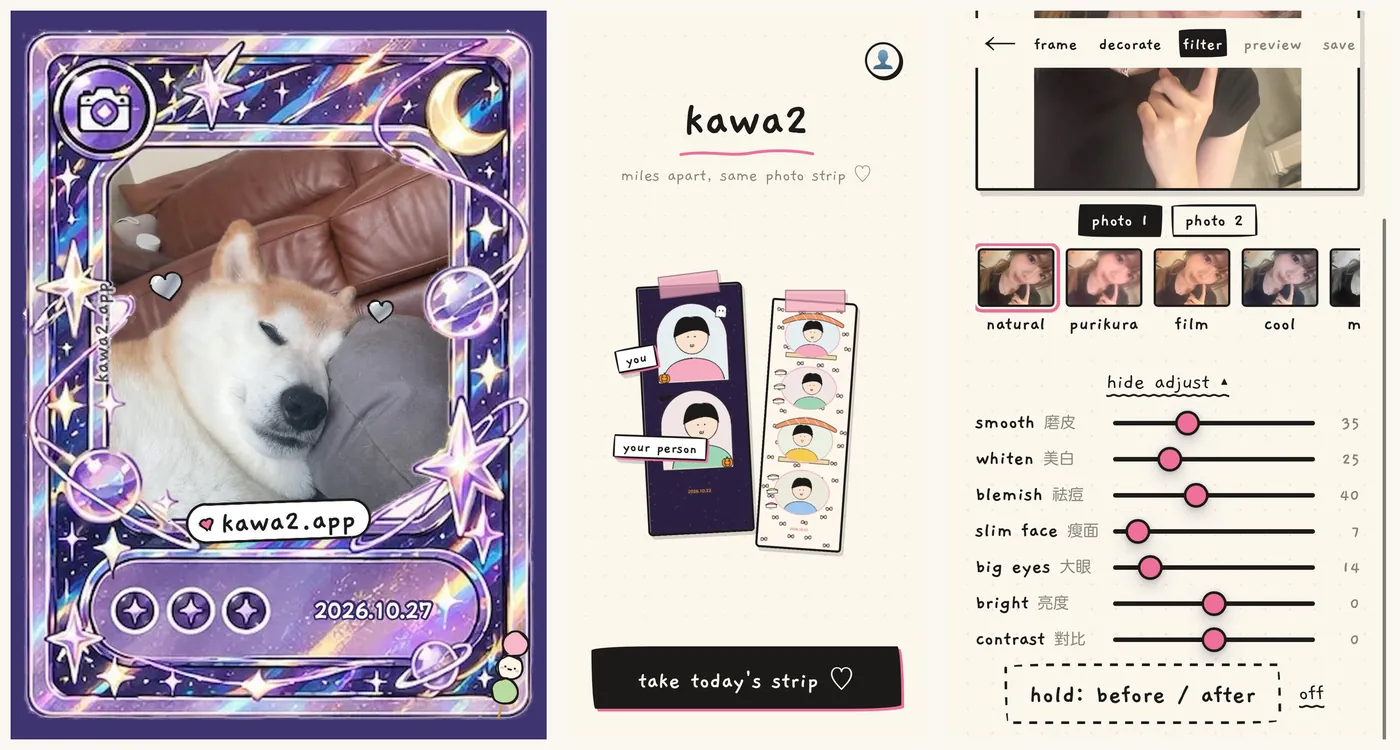
- Shots: 1 big photo, 2 or 4, with a 3, 5 or 10-second countdown.
- Frames: 24 designs, from Y2K and film to dim sum and glitter cards. "Match my photos" picks frames that suit your colours.
- Filters: natural, purikura, film, cool, mono and pencil sketch.
- Beauty sliders: smooth, whiten, slim face, big eyes and more, with "hold: before / after". Chloe added these quietly. Every mall booth has them.
- Decorate: stickers, captions, a date stamp, bear ears and blush.
Step 3: Make it work far apart
This is the part a real booth can't do. You take your half and tap "send to my person". Your friend opens the link and takes theirs. The photos merge, taking turns down the strip.
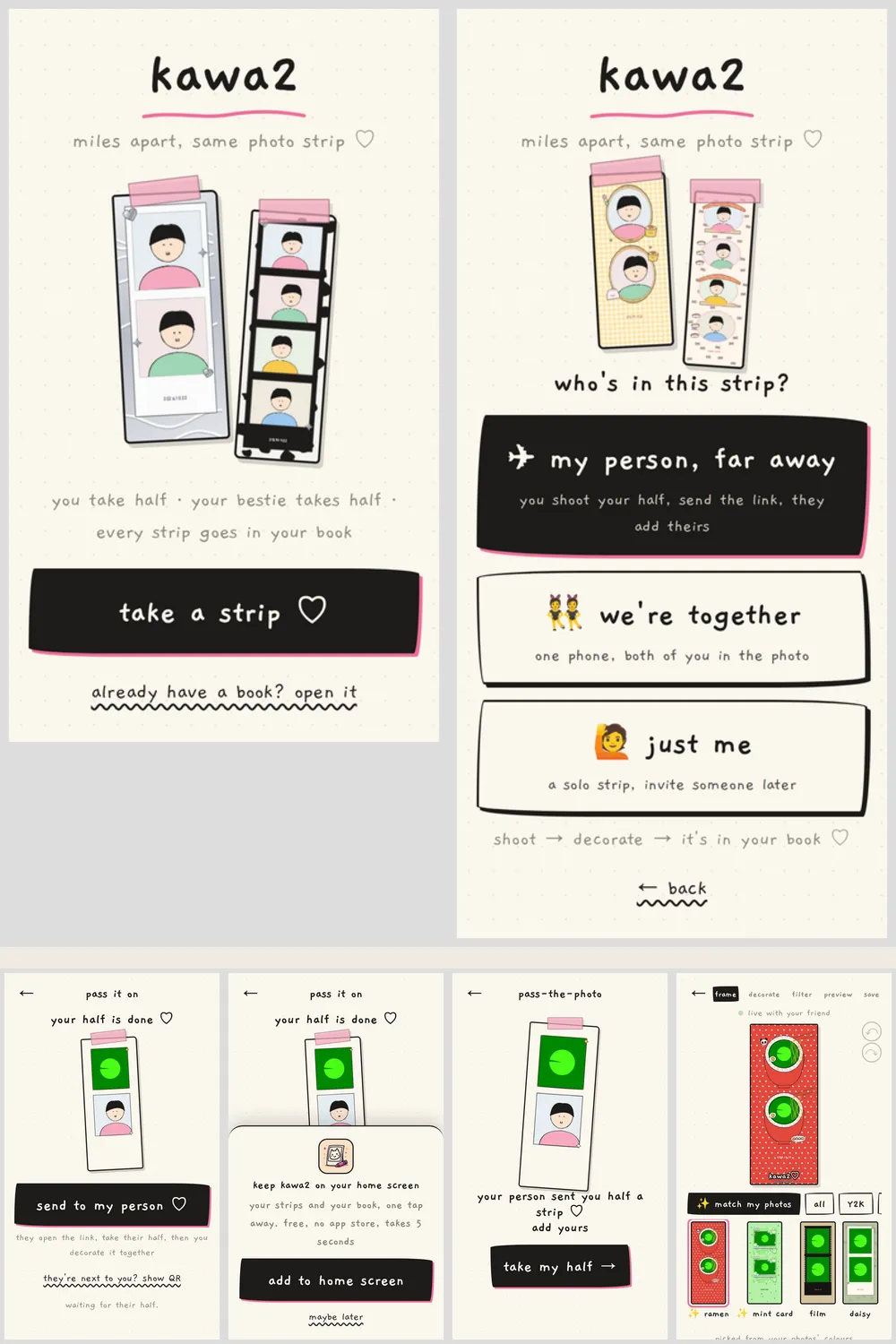
Two questions from testing changed this flow:
- "Will the link expire?" For a friend in London, a link that dies overnight is useless. Ours don't expire.
- "You have to wait for your friend to confirm." At first both people had to confirm before anyone could save. Now each person can save their own copy any time.
Test as the friend far away. That's where the problems show up.
Step 4: Keep every strip
Paper strips get lost in drawers. Every kawa2 strip goes into a book you can share with your person. A daily frame and a streak bring you back.
Step 5: Launch where your friends already are
Chloe posted her first strips on Threads with one line: help me test it.
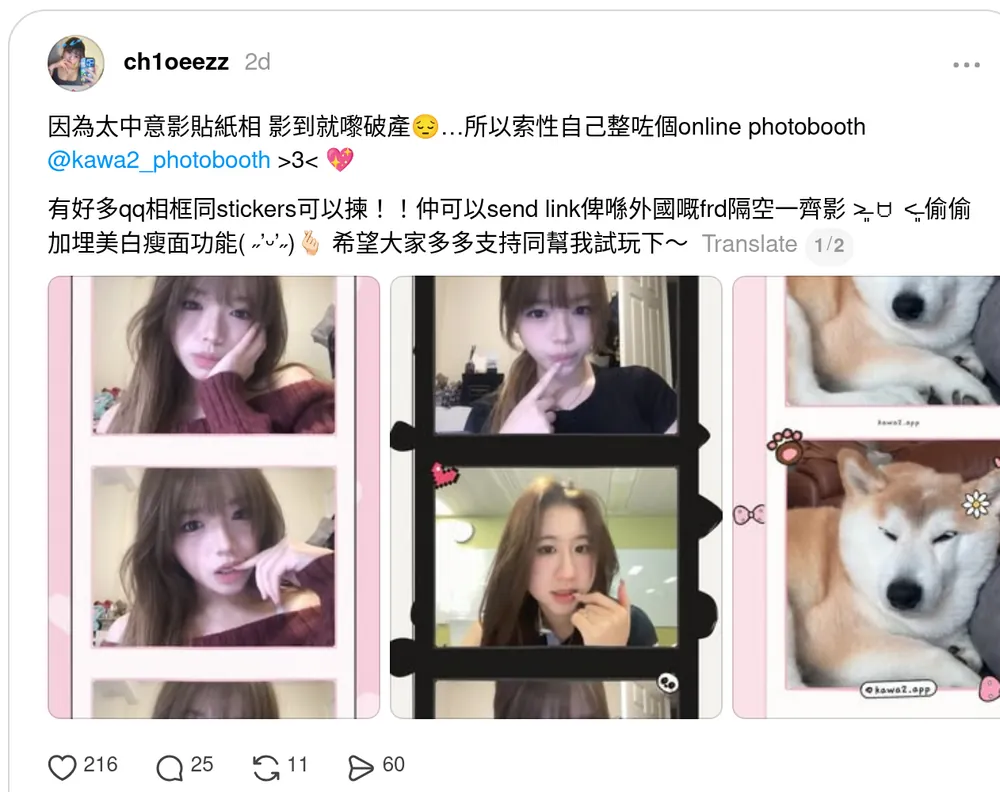
Chloe's launch post on Threads.
In two days it had 6,200 views, 216 likes and 60 shares. Three things helped:
- Real photos, not screenshots. Her strips show what you get.
- A watermark. Every strip carries a small "kawa2.app", so a shared strip tells people where to make one.
- One clear ask. "Help me test it" gets more replies than "check out my app".
Two tips
- Use your own art. We replaced frames drawn in a famous cartoon style with our own designs.
- Use a short domain. We bought kawa2.app so it's easy to say out loud.
Make yours
Think of a place you used to go with someone who's far away now: a booth, a karaoke room, a café table. Write one line about the feeling, then describe it to omg.dev.
Or take a strip with your person now at kawa2.app.
Missing an old game instead? Read how I rebuilt Tetris Battle to play with my best friend again.
Frequently asked questions
Can I take a photo booth strip with a friend in another country?
Yes. On kawa2.app you take your half of the strip and send a link. Your friend opens it, takes their half, and the photos merge into one strip you can both decorate and save.
Does the kawa2 link expire?
No. A friend in another time zone might not open it until tomorrow, so the links last.
Do we both have to be online at the same time?
No. You can decorate together live, or each save your own copy whenever you like.
Do I need to download an app?
No. kawa2 runs in the phone's browser. You can add it to your home screen so it opens like an app.
Is kawa2 free?
Yes. Taking, decorating and saving strips is free, including the book. A one-off purchase adds 15 special frames.
Can I build my own online photo booth with AI?
Yes. Describe the booth you miss: the number of photos, the countdown, the frames, and how a friend far away joins. omg.dev builds it, tests it and gives you a link.