7 min read
How to Turn Your Kid's Drawing Into a Real Game With AI
My nephew drew a maths game on paper. We turned it into a real phone game with AI, no code. The prompt, how we kept his art and how to make your own.
 By Angel LuiLinkedInTurn a drawing into a game on omg.dev
My nephew Isaac is in Primary One. One afternoon he handed me a drawing of a rocket flying through clouds with numbers in them, and explained the rules.
It was a maths game. So we built it for real, with AI and without writing code. Here's the prompt, how we kept his art, what we fixed, and how to do the same with your kid's drawing.
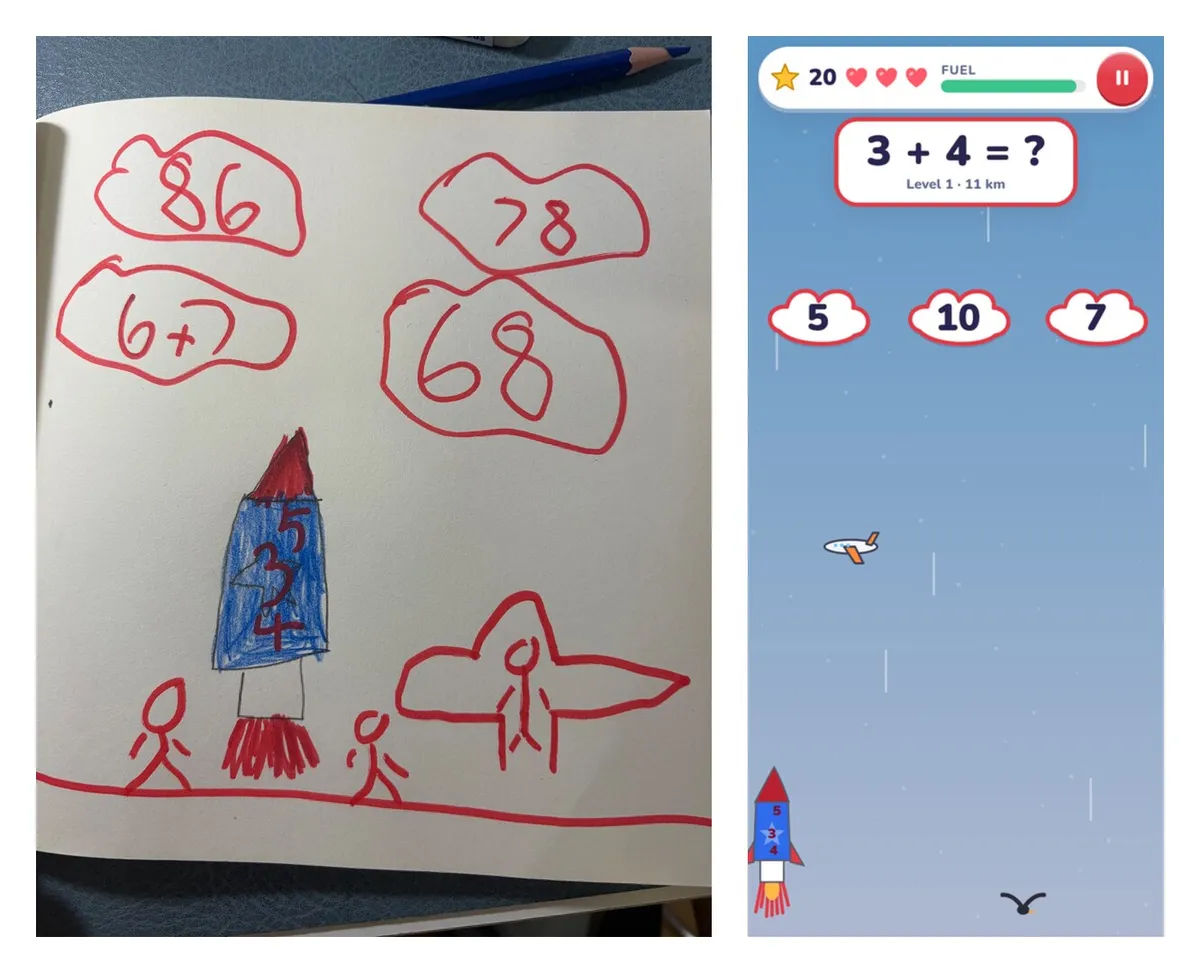
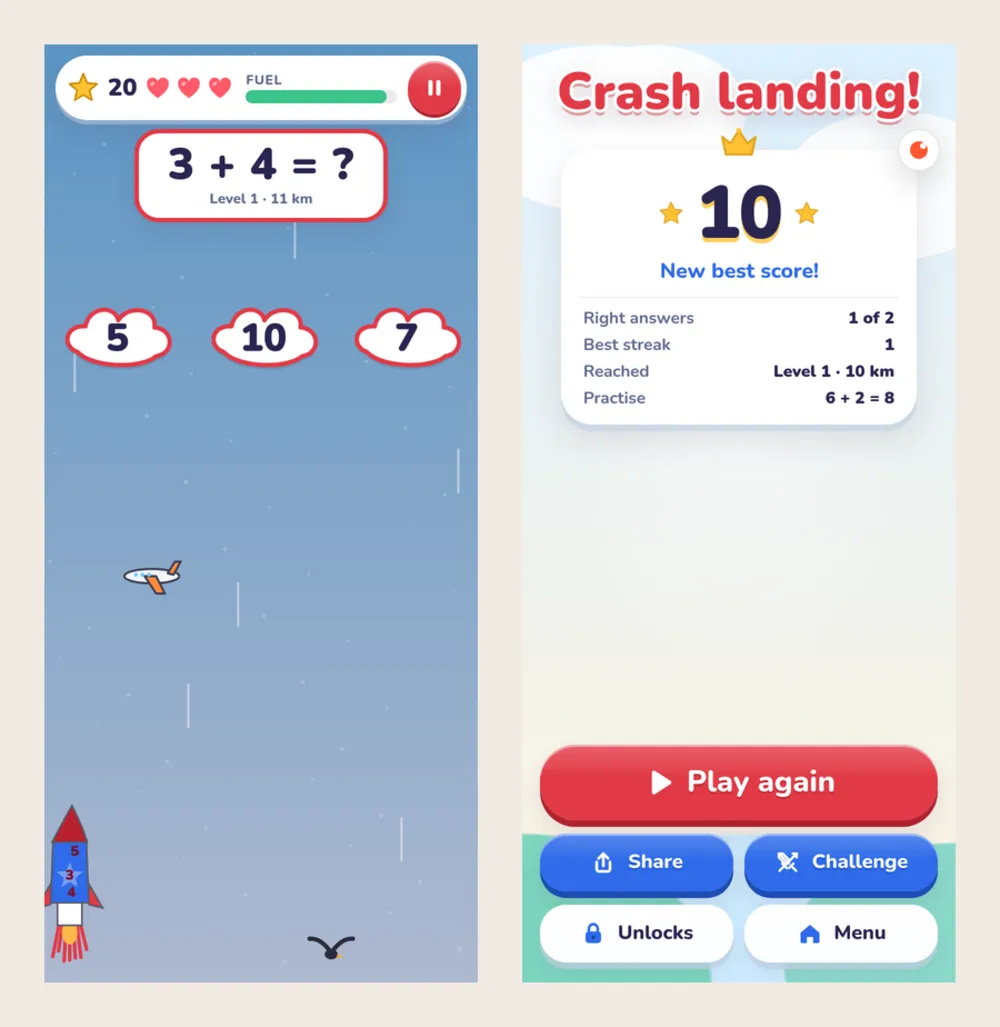
His drawing on the left. The real game on the right.
The short version
- Take a photo of the drawing.
- Write down the rules your kid tells you: what you control, what to avoid, how you win.
- Send both to an AI app builder. We used omg.dev.
- Play it together and ask for changes in plain words.
- Share the link. Ours is isaacrocket.omgs.app. Try it on your phone.
A drawing already has the hard parts
Grown-ups who design games spend weeks on four questions. What do you control? What can go wrong? How do you win? Why play again?
Kids answer them without trying. Isaac's page had a rocket to steer, clouds to aim for, an aeroplane in the way, and a rule he said out loud: the rocket keeps flying up.
That is a full game design. Your job is to write it down, not to improve it.
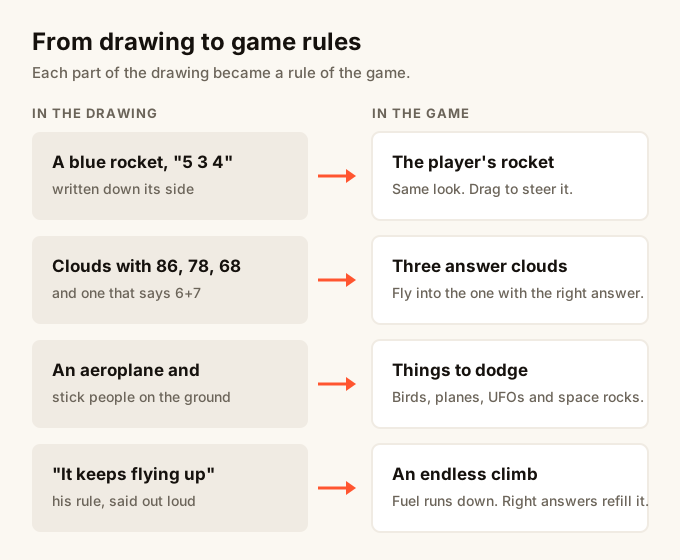
Step 1: Photograph the drawing
Use daylight and hold the phone straight over the page. Crop out the table. The AI looks at the photo for shapes, colours and small details, so a sharp photo gives you a closer game.
Step 2: Write the message
Start a new session on omg.dev, attach the photo and describe the game. Mine said what Isaac told me: a rocket that keeps going, you steer it, enemies to avoid, and you hit the cloud with the right sum. I also asked for it to be challenging but manageable, and to teach him something.
The button at the top of this page fills in a tidied-up version:
I will attach a photo of my child's drawing. Turn it into a game that works on a phone. The rocket keeps flying up and you steer it left and right. Dodge the birds and planes. Each sum shows three answer clouds: fly into the cloud with the right answer. My child has just started addition and subtraction, so start with sums within 10, get harder as they get answers right, and get easier after two wrong answers in a row. Keep the look of the drawing: the same rocket, colours and clouds. Before you say it is done, play it at phone size, then publish it.
Change the rocket and the sums to match your kid's drawing. Keep the last sentence. It makes the agent test the game before it hands it to you.
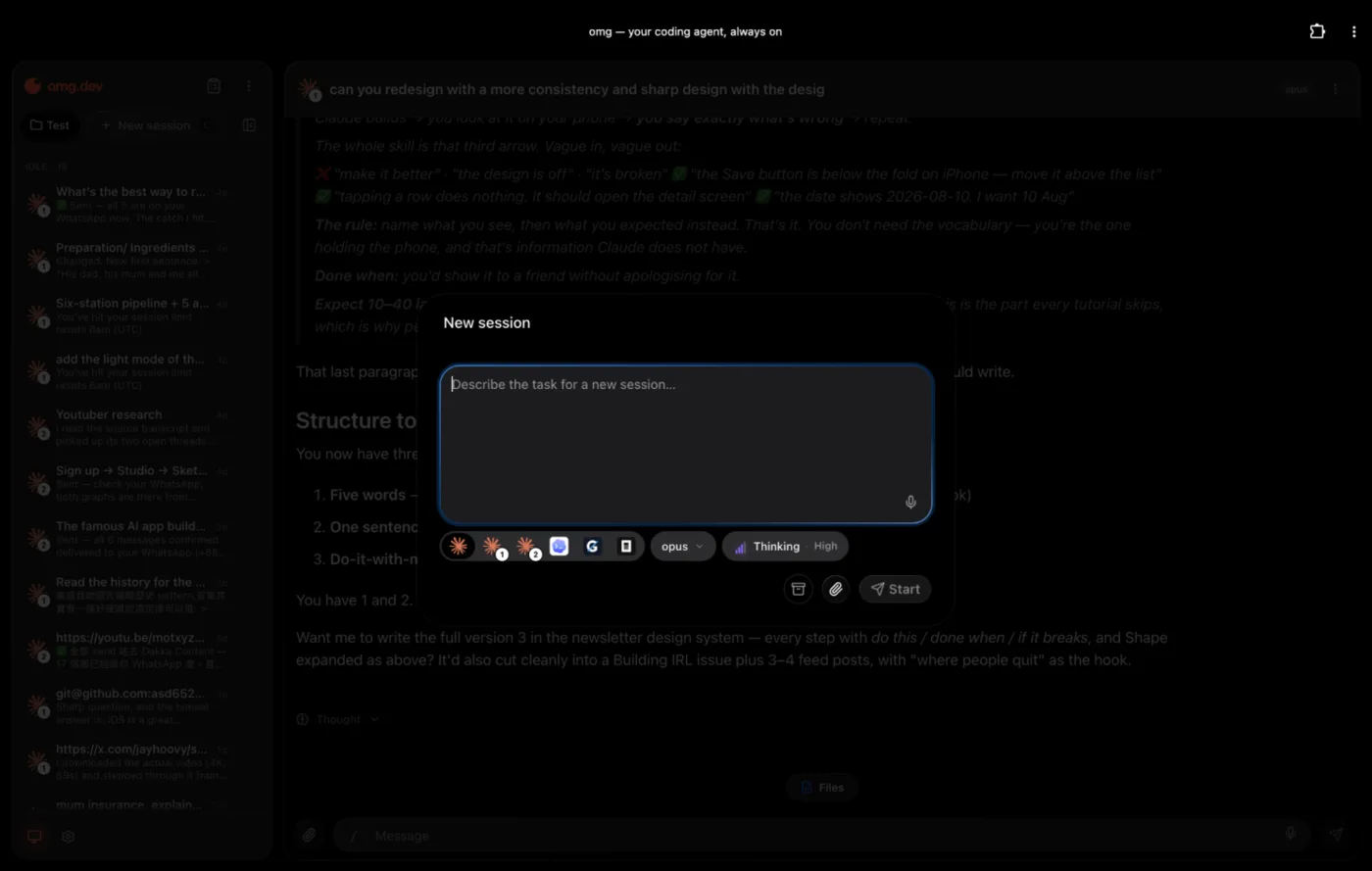
Step 3: Give it a name and an address
The agent built the game, tested it and published it with a live link. Then I sent two short messages:
- "The name of the game is Isaac Rocket 🚀"
- "Can you change it to isaacrocket.omgs.app"
That was the whole build: one message with the photo, then a name and an address. The old link now forwards to the new one, so nothing we'd shared broke.
Step 4: Make it fit your kid
A game for a six-year-old fails in two ways. Too easy and he's bored. Too hard and he quits. These rules kept Isaac in the middle:
- Six levels. Level 1 is sums within 10, like 3 + 4. Level 6 is two-digit sums with carrying, like 47 + 38. Five right answers move you up.
- A step back after two misses. Two wrong answers in a row drop one level, so he gets a few easy wins and climbs back.
- Wrong answers that are close. The other two clouds are one to three away from the right answer. From level 3, one can be about ten away, which checks tens and ones.
- Reading time first. Nothing flies at the rocket while a new sum arrives. The planes and birds come once the clouds have dropped a little way down the screen.
- Fuel that only maths refills. Dodging alone won't keep you flying, and every round ends by itself after a few minutes.
Tell the agent your kid's level in the first message. If the game feels wrong after a few rounds, say so in plain words: "Level 1 is too fast" works.
The full level table and how I practise with Isaac are in the parents' guide on the game's site.
Step 5: Keep their art
The best part for a kid is seeing their rocket on the screen. Ask for the drawing's look by name, not "make it nice".
What we kept from Isaac's page:
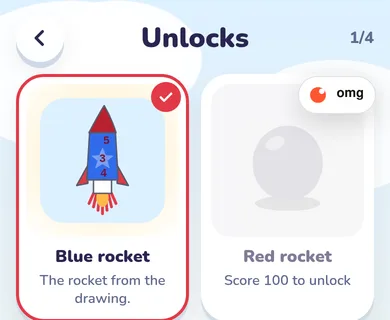
- The rocket: blue with a red nose, red flames, and 5, 3 and 4 down the side.
- The clouds: red marker outlines with big numbers inside.
- The ground: his stick people and the aeroplane at the launch pad.
The game adds three more rockets to win with stars: red, gold and alien green. His blue one is first, labelled "The rocket from the drawing."
What the agent tested and fixed
Before calling it done, the agent checked the maths and played the game at phone size:
| Test | Result |
|---|---|
| Every sum it can make | All correct |
| Carrying, levels 4 and 6 | Where it should be |
| Right cloud | Stars and fuel |
| Wrong cloud | One heart lost |
| Five right answers | Next level |
| Drag on a phone | Rocket follows |
| Two phone sizes | Nothing cut off |
| The live link | Plays to the end |
It also found and fixed four things on its own:
- The rocket could drift partly off the bottom of the screen.
- The rocket looked too small on a phone.
- The results screen didn't show how many sums were right.
- The game's name on the share image overlapped the rocket.
The results screen now shows right answers, the best streak, how high he flew, and the sums to practise. That last line is what we go through together after a round.
Step 6: Share it
The game is a website, so the link works on any phone, tablet or computer. There's nothing to install, no sign-up and no ads.
Two things make it spread in a family:
- A daily challenge. Everyone gets the same sums that day, so cousins can compare scores.
- A challenge link. After a round, send your score to someone and they try to beat it.
Ideas for other drawings
- A race car: steer through a track and collect coins.
- A maze: find the way out before the monster does.
- A castle: defend it from falling dragons.
- A spelling game: catch the right letter to finish the word.
Ask your kid the same four questions: what you control, what to avoid, how you win, and why you'd play again. Write the answers into the message.
Before you share it
- Ask the parents if the drawing isn't your own child's.
- Use a first name only. No school, no face, no location.
- Let your kid play-test it. Their notes are the next update.
Play Isaac's game at isaacrocket.omgs.app. Then grab a pencil and ask your kid to draw the next one.
Planning a class activity instead? Read how to make your own Kahoot-style quiz.
Frequently asked questions
Can AI turn a child's drawing into a video game?
Yes. Take a photo of the drawing, write down the rules your child tells you, and send both to an AI app builder like omg.dev. It builds a game that runs in the browser on a phone, tablet or computer, and gives you a link to share.
Do I need to know how to code?
No. We described the game in plain words, then asked for changes the same way. The agent wrote the code, tested it and published it.
Will the game look like my child's drawing?
It will look like a clean version of it. The AI redraws the drawing as game art, keeping the shapes, colours and details your child chose, such as the numbers on Isaac's rocket. It does not paste the photo into the game.
Is it free to make a game from a drawing?
You can try omg.dev for free. If you build a lot, plans start at $19 a month. The game we made is free to play, with no ads and no sign-up.
What kinds of drawings work best?
Drawings with something to control, something to avoid and something to collect or reach. A rocket, a car, a maze, a castle with monsters: if your child can explain how you win and how you lose, it can be a game.
Is it safe to put my child's drawing online?
Ask the parents first if it isn't your own child. Use a first name only, and leave out school names, faces and locations. Ask for no ads and no sign-up in your prompt. Isaac Rocket has neither.